

DOWNLOAD THE EA TO USE IN THE STRATEGY TESTER!
Try the EA out in the tester then get your licence for MT4 or MT5.

BUY THE EA & start trading on your live or demo account today!
Fully functional version to use in live or demo trading!

Have you seen the EA Bundle!
BUY EVERY EA & SAVE 50%
Get the whole collection of expert advisors
on the platform of your choice!
Get the best trade execution with this EA at

More Information & Purchase Links
Zone Trader EA
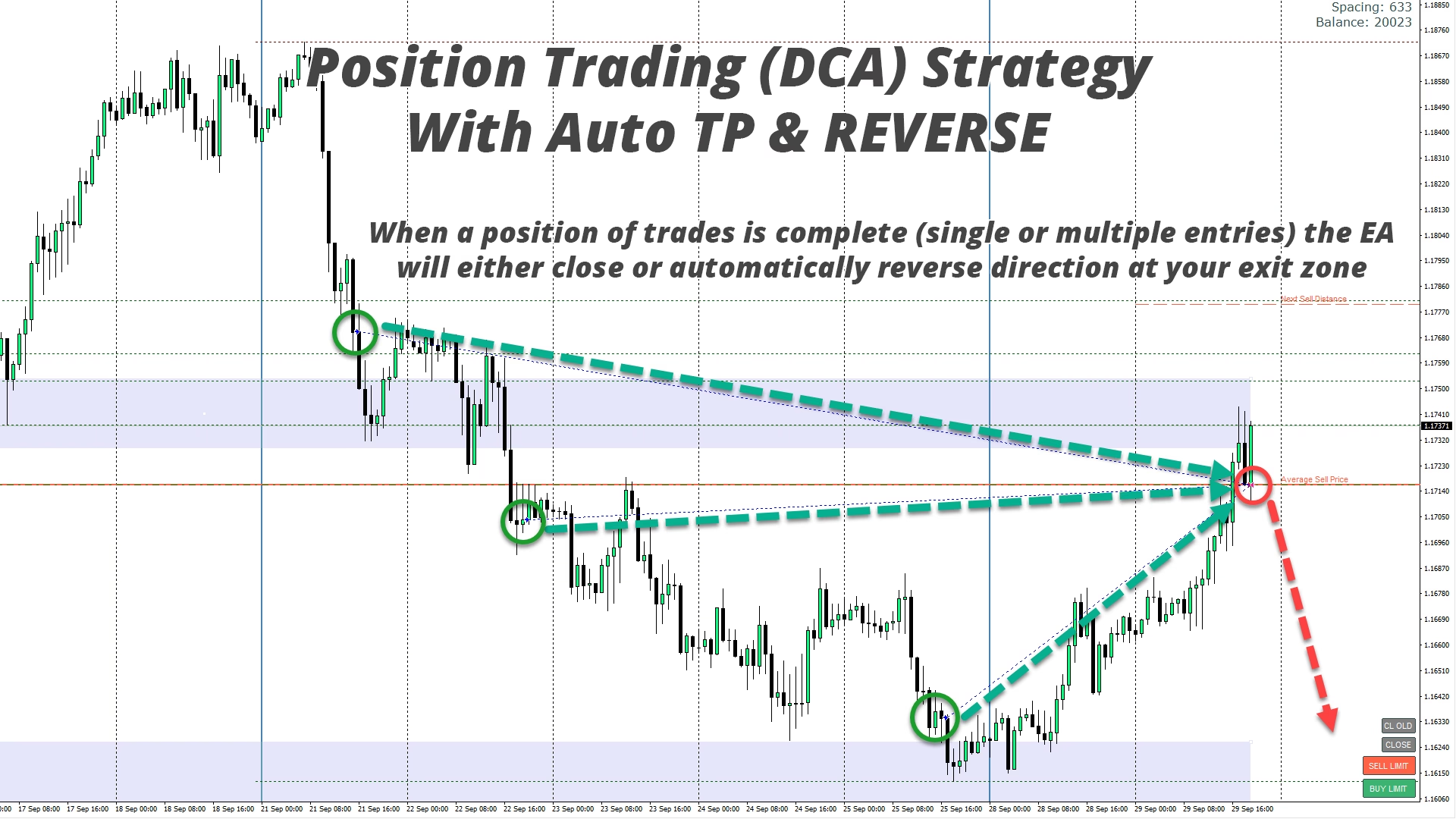
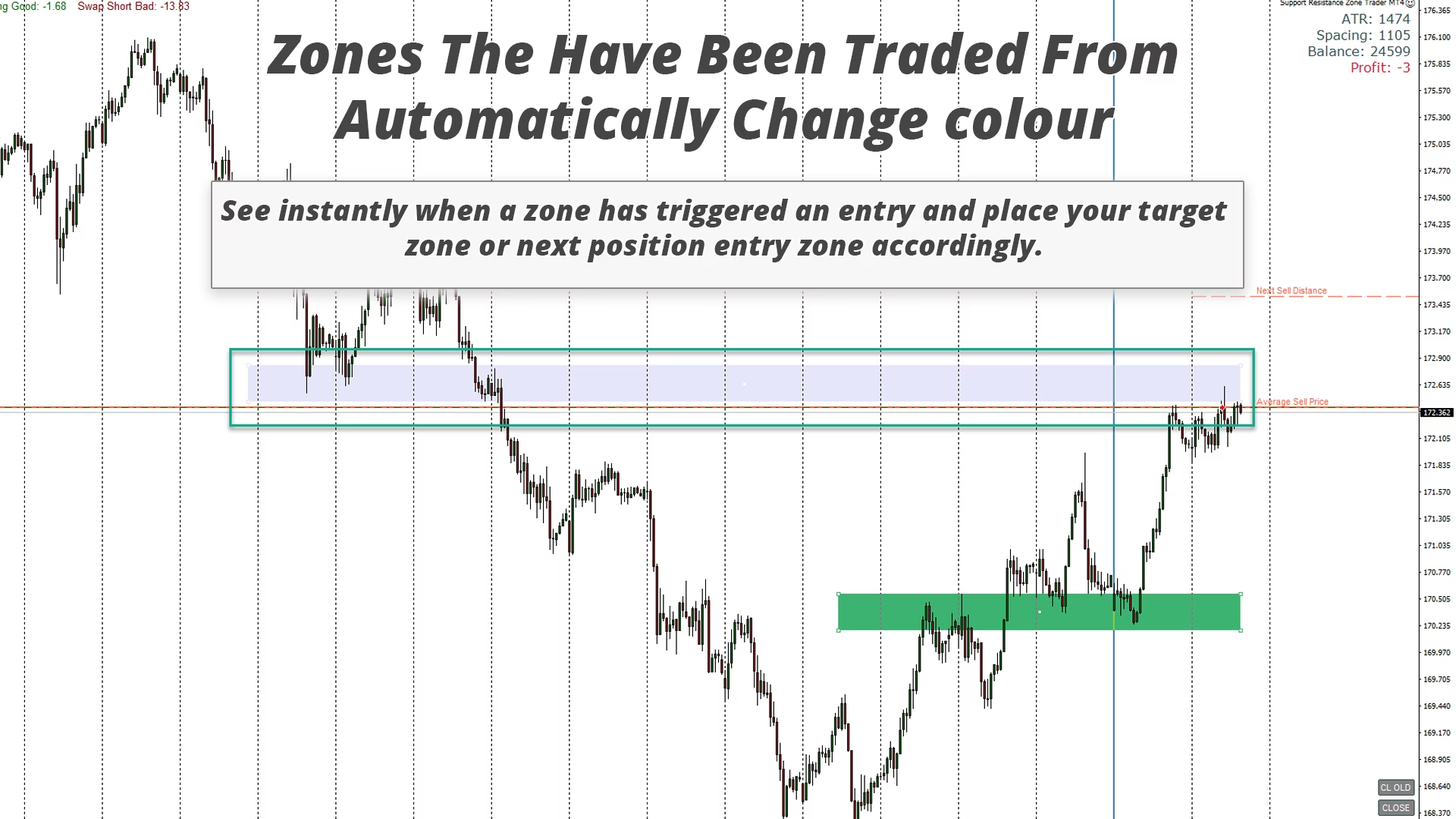
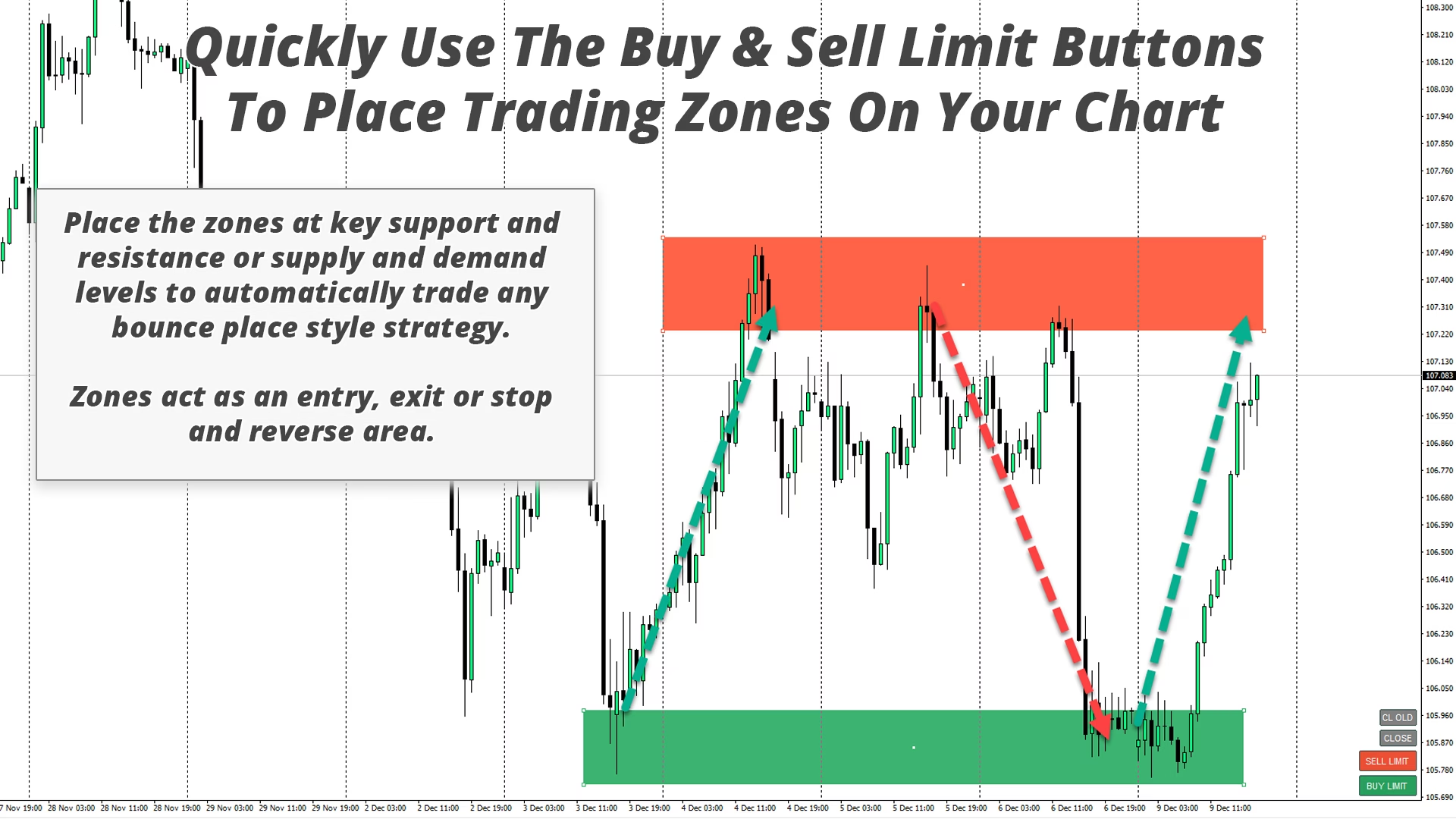
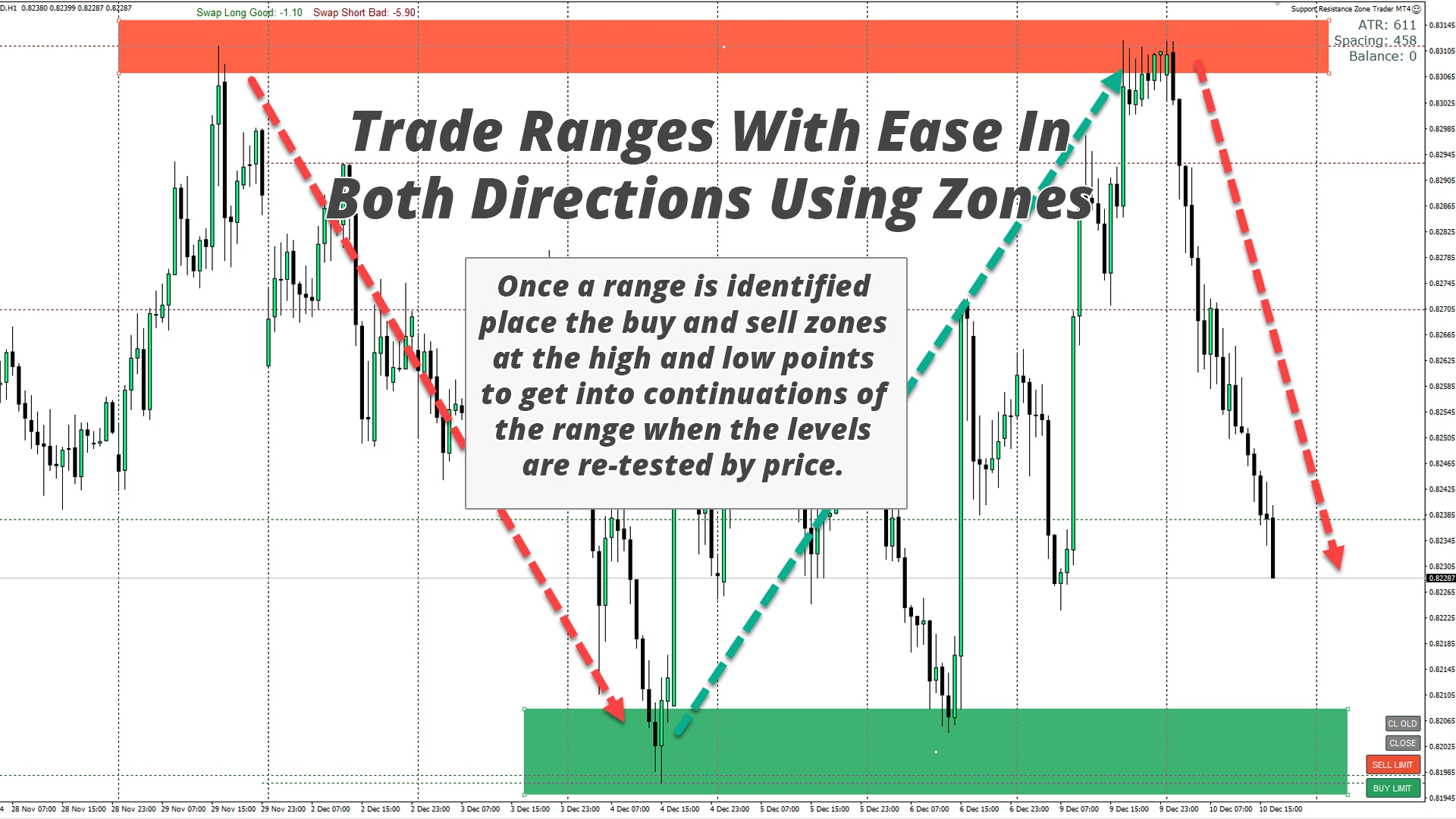
This EA allows you to draw buy and sell zones with a single click and then place them exactly where you expect price to turn. The EA then monitors those zones and will automatically take trades based on price action you specify for the zones. Once the initial trade is taken, the EA will then get out in profit at the opposite zone you place, which becomes the target area. You then have two choices, either close the trade and draw new zones to enter at, or exit in profit and reverse the trade in the opposite direction immediately, creating an “always in” the market style strategy.
Main Functionality:
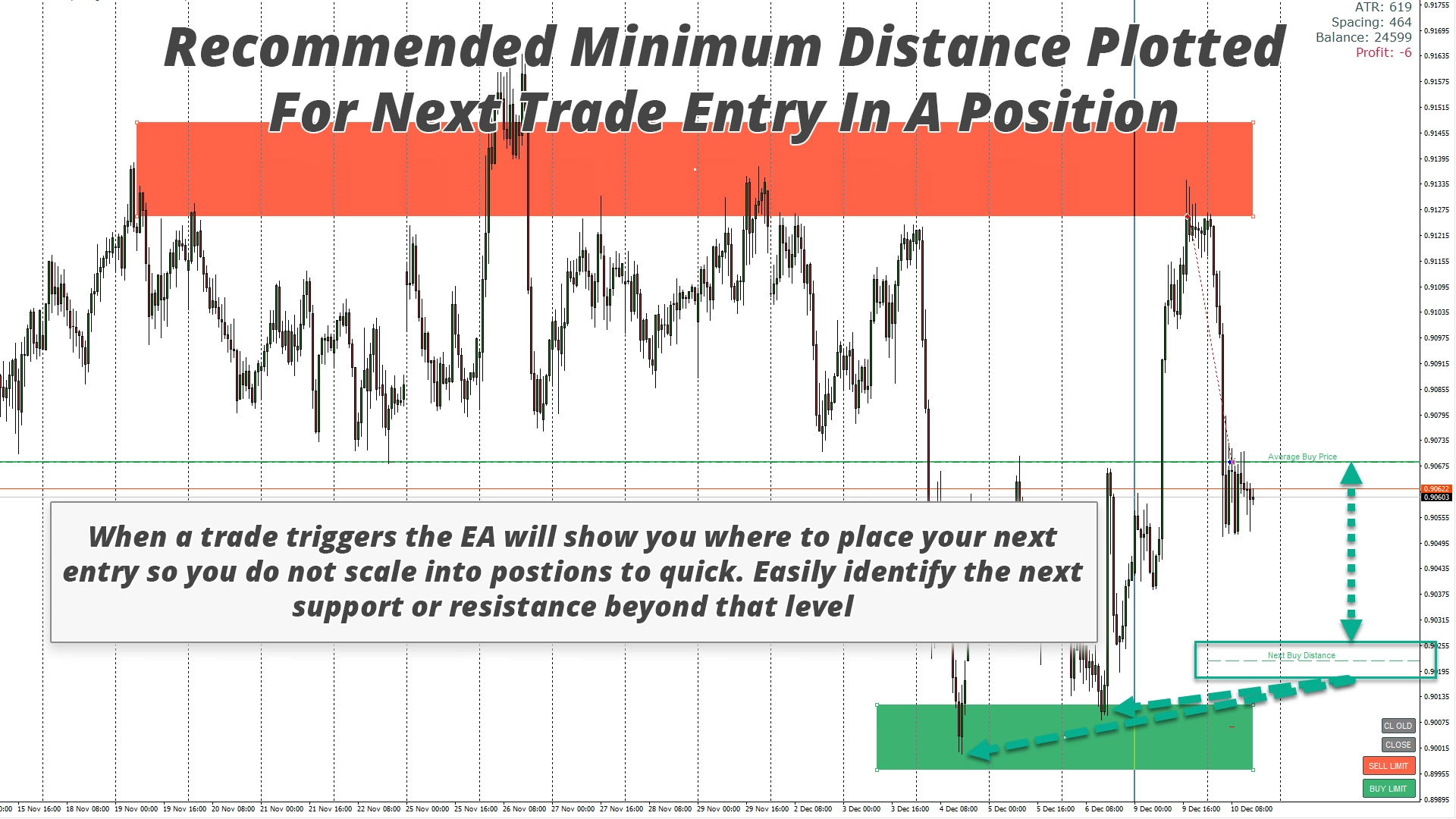
This EA is designed for position traders or Dollar cost averaging trading strategies that do not use a fixed or hard stop loss in the market. Instead, it is designed to scale in to incorrect trades by taking a new trade in the same direction at the next available support or resistance zone and adjust the average price of your position in the market. There are backup exit criteria in the form of max loss amounts per trade or time based exits if required too.
- Simply press the buttons to draw zones ready to place at levels of interest.
- Close button and close oldest button to exit all trades or just old ones if they get too far into drawdown to adjust your average position instantly.
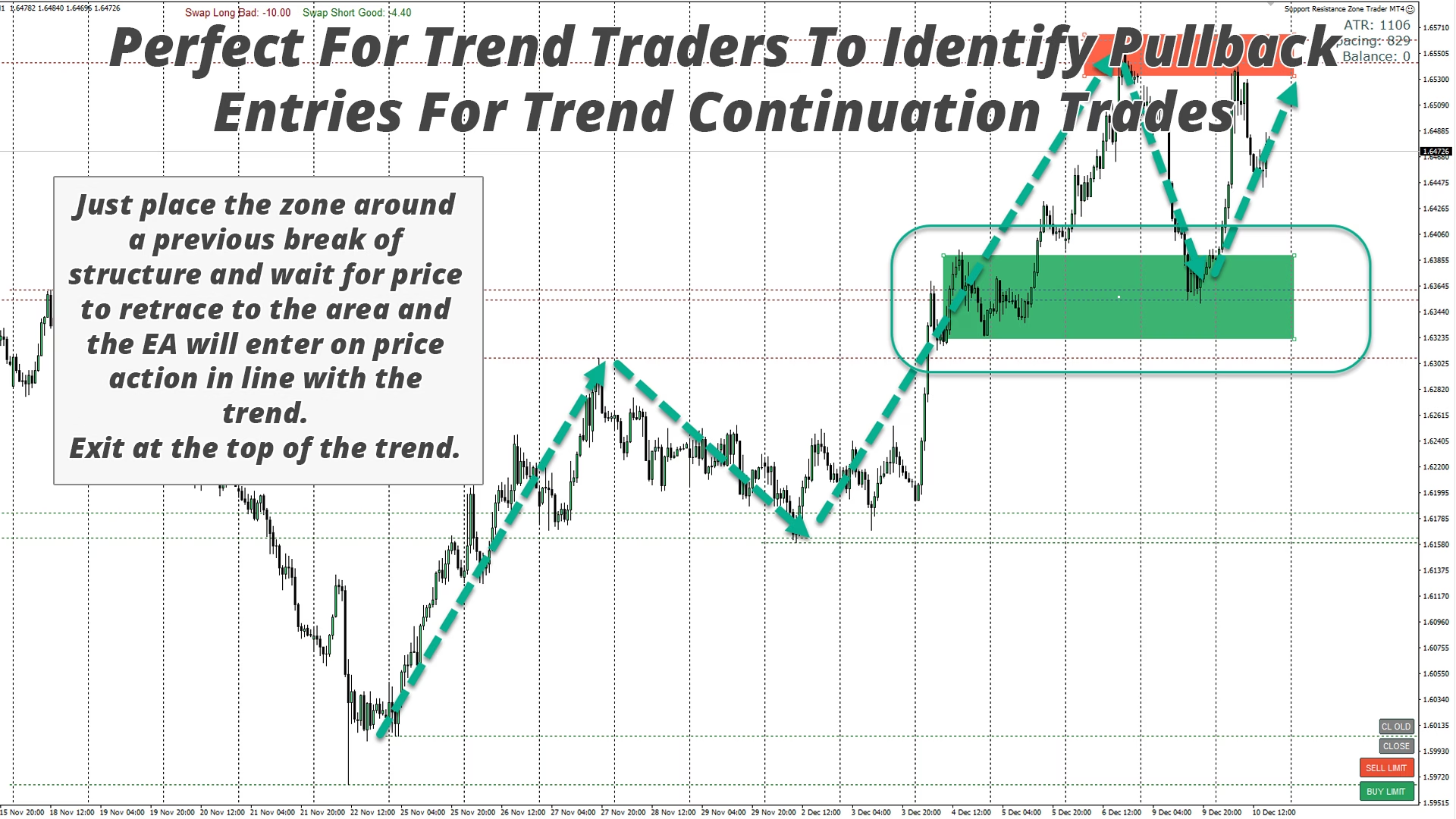
- Works on any timeframe to trade either range bounces or trend pullbacks.
- Plots next entry based on an ADR (average daily range) / ATR (average true range) calculation of your choice to ensure evenly spaced positions are created.
- Choose the risk as either a fixed lot size or an amount of money over an ATR or ADR distance.
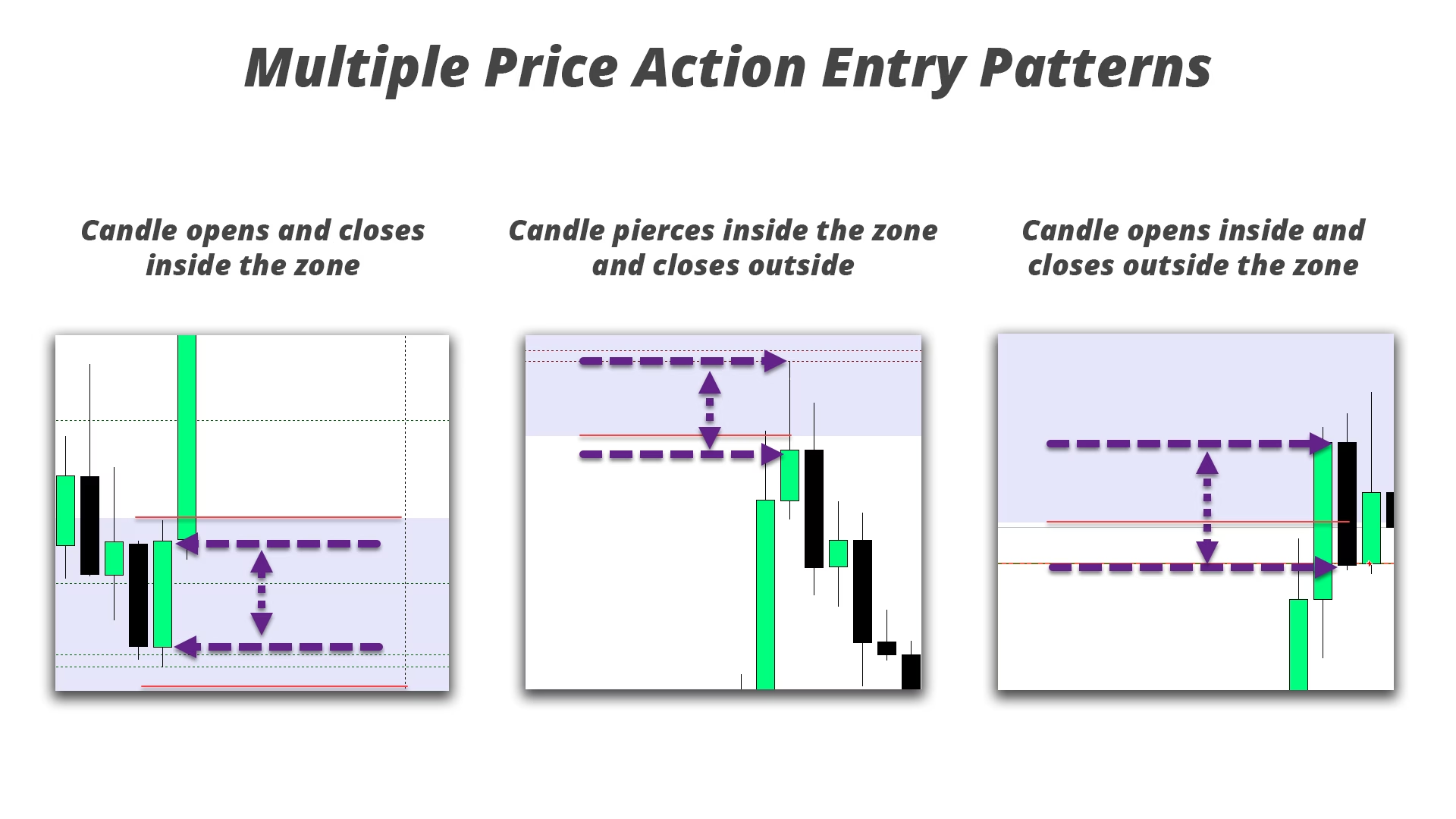
- Enter on price action in multiple ways when your zones are reached.
- Automatically display swap rates to aid swing traders in deciding on costs of holding positions long term.
- Show ATR/ADR data and account balance & profit on the chart.
- Zone can expand if strong price action invalidates them, or they can be removed and a new zone created.
- Exit at the opposite zone and instantly stop and reverse or wait for new zones to be reached.
- Exits also available by trailing stop, at money amounts (either profit or loss), and at end of day, after a set amount of time or on any timeframe candle close.
- Adjust the colours of the buy and sell zones to suit your chart colour scheme.
- Auto plot weekly start lines.
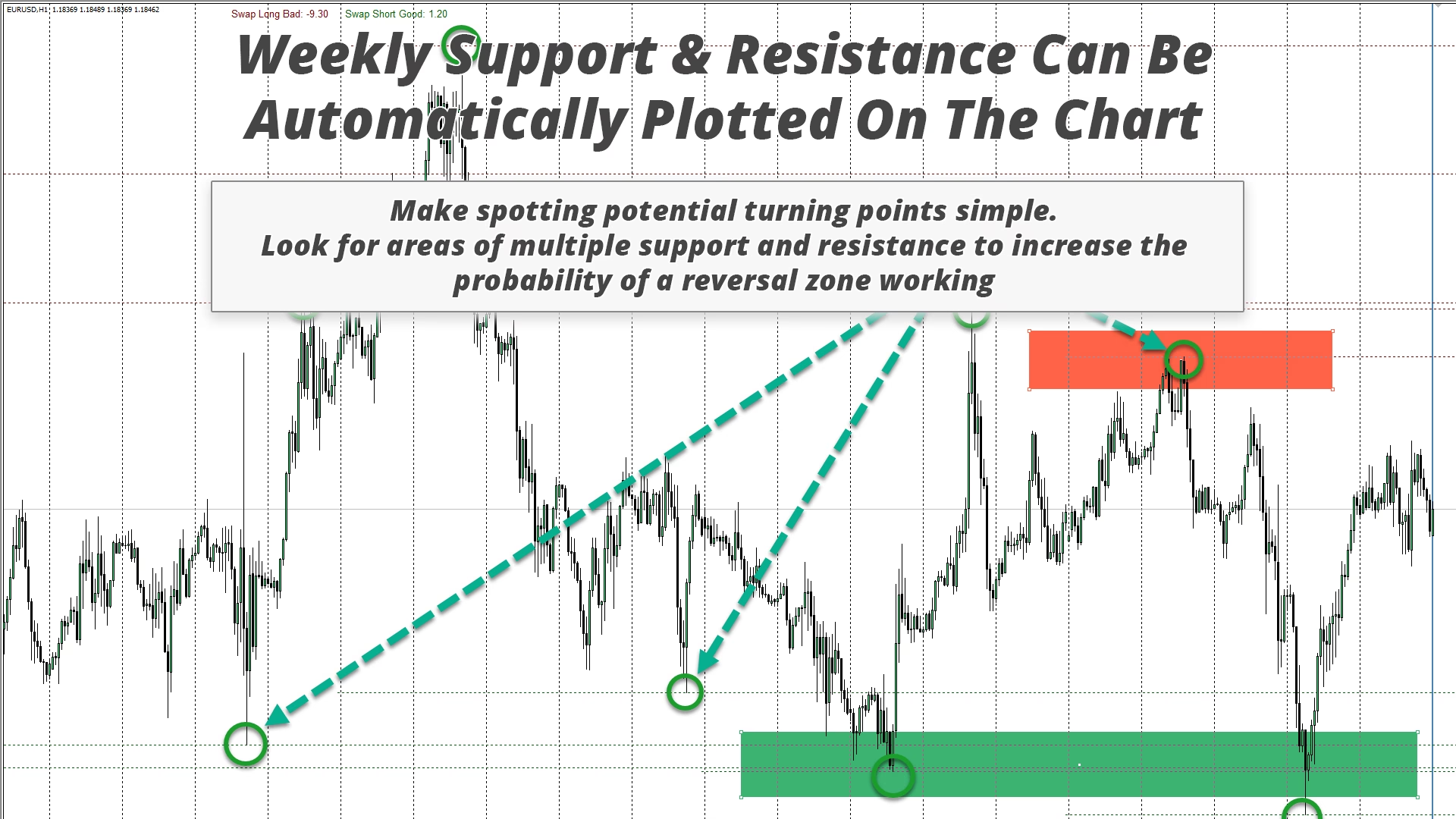
- Automatically plot weekly support and resistance (highs and lows) to aid in finding turning points in the market.
Use the EA in the Strategy Tester To Train Yourself & Improve:
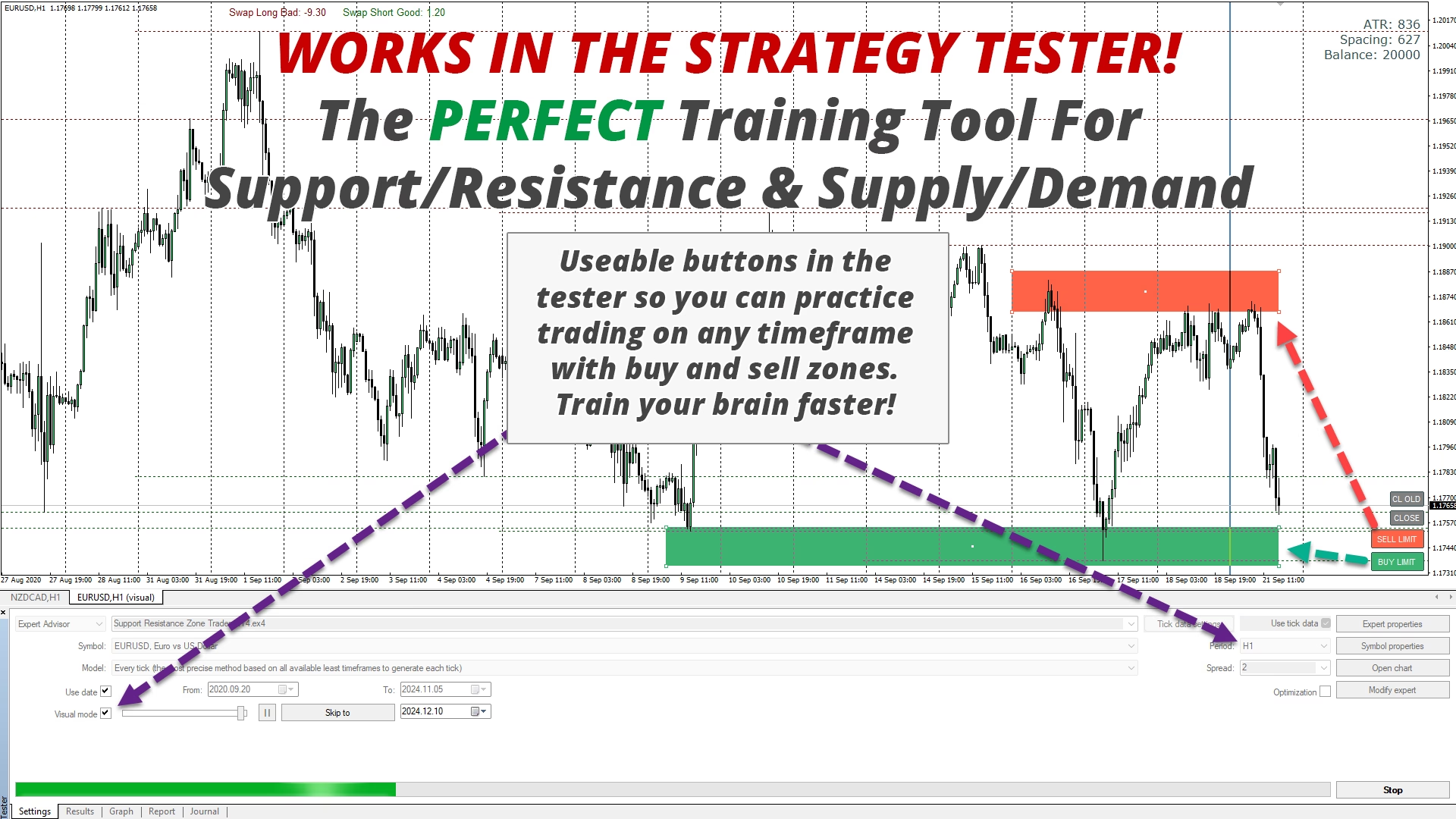
The EA functions fully in the strategy tester allowing you to practice trading with the zones.
- Simply start the backtester in every tick model so the speed is not too fast.
- Use a slower than max speed when the EA starts and place the zones where you want them.
- Then speed up the EA to max speed until a zone is triggered and slow the speed again.
- This now allows you to adjust the target zone if required and place the next entry zone in case your initial trade does not work out.
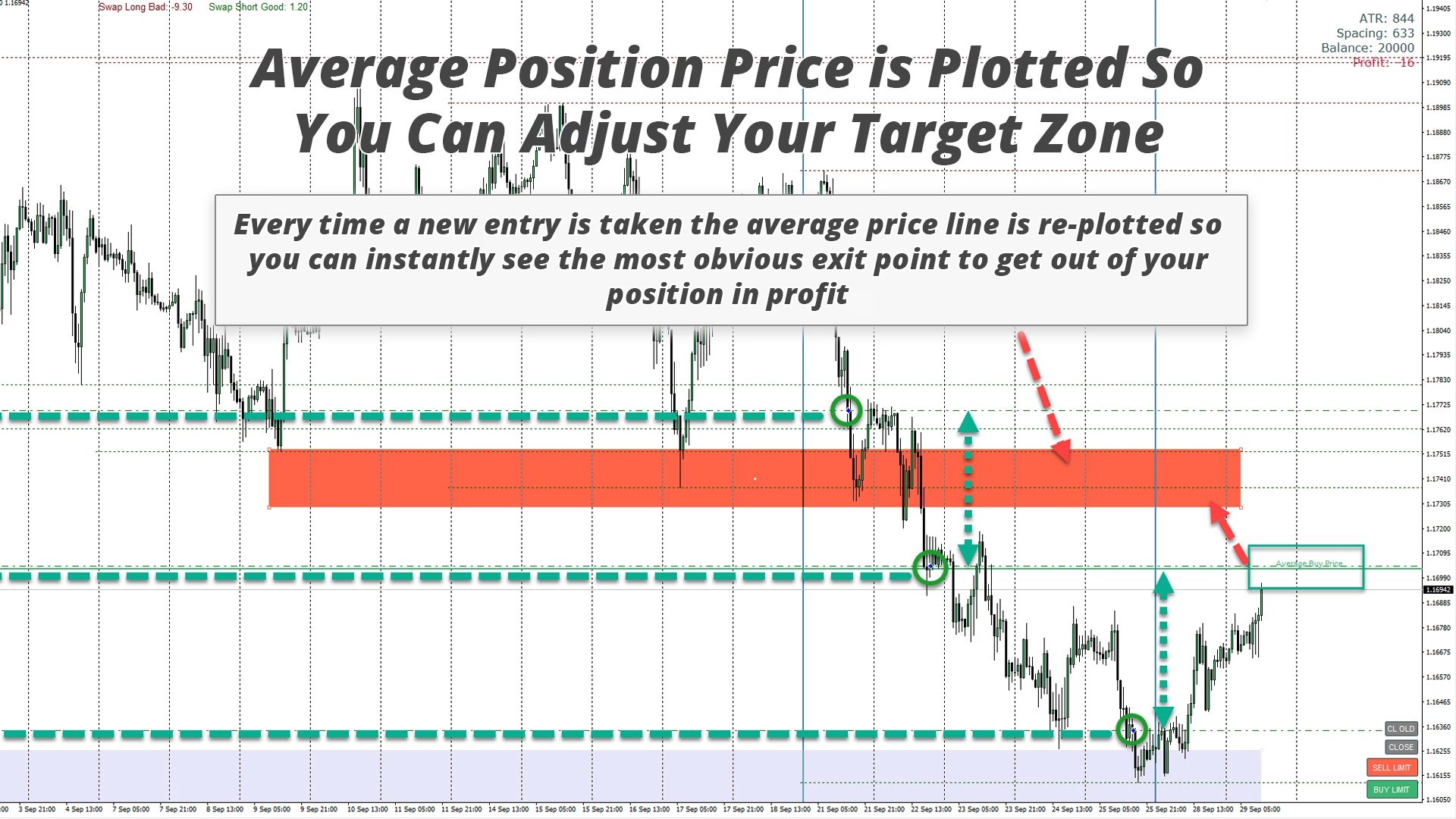
- Every time a new trade is placed your average price will adjust and that is when you want to adjust the exit target zone.
- Repeat over and over again until you are comfortable with the strategy and you can see how you would have done over a period of weeks, months and even years.
This exercise trains your brain and “burns” price action into your eyeballs which will help your muscle memory identify key levels when doing analysis every day. The more time you spend watching different instruments fly past, and the more you trade them in the simulator, the more accurate your entries will be in real trading. Another good reason to use the tester is to help you manage expectancy with your trades. As you see the weekly separator lines fly past you will understand better how long trades take to play out with whatever strategy you are using with the zones. If you look back at any test you have done once completed (turn off delete drawn objects input) you will be able to see how long on average you are in single trades and trades with more than one position. This helps you become more patient when trading in a real account. Knowing a trade takes on average 2-3 days to work from zone to zone will help you be more patient when the market is just fluctuating up and down and going nowhere, as you will have seen that scenario play out over and over again in the tester.
How To Use in Live Trading
Trading with the tool in a live account environment requires a VPS or a PC that is left on 24/7 in your home or office. This is for two reasons, first when your terminal re-starts, EAs are re-initialized meaning they reset which will remove any zones you have drawn on your chart. Secondly, you do not know WHEN price will reach a zone and if you are asleep and you trading PC is off you will miss entries. The markets move constantly and do not sleep, your trading should not either. One exception to this is for traders who may be using the EA intraday on low timeframes and closing out at the end of each day. Then a VPS is not required.
A separate chart for each instrument you would like to trade should be opened on your terminal and left open with the EA running on it, it’s fine to change timeframes on the chart you are analysing to find good levels to trade. The EA works on candle close for entries and exits so set the timeframe to the one you would like to use to trigger entries. Most people will swing trade on H1, H4 or higher timeframes so these are the best to run the EA on, there is no “best” timeframe so it’s personal preference.
The EA will detect the name of the instrument and combine that with the magic number, which you can leave default unless trading the same instrument on more than one chart in the same terminal. This is how is knows what trades it should be managing.
Strategy & Analysis
Trading using zones is very simple, don’t overthink it!
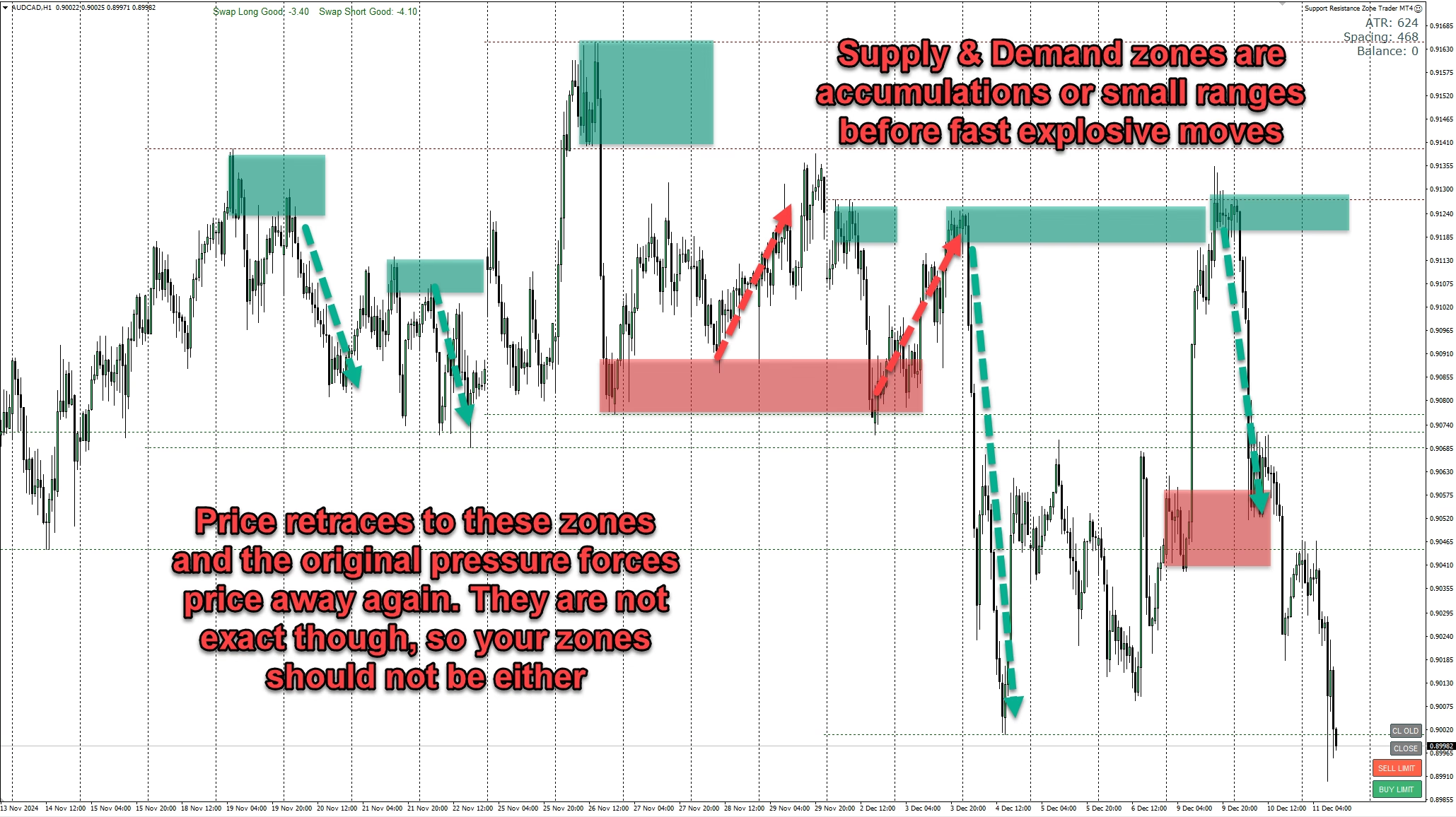
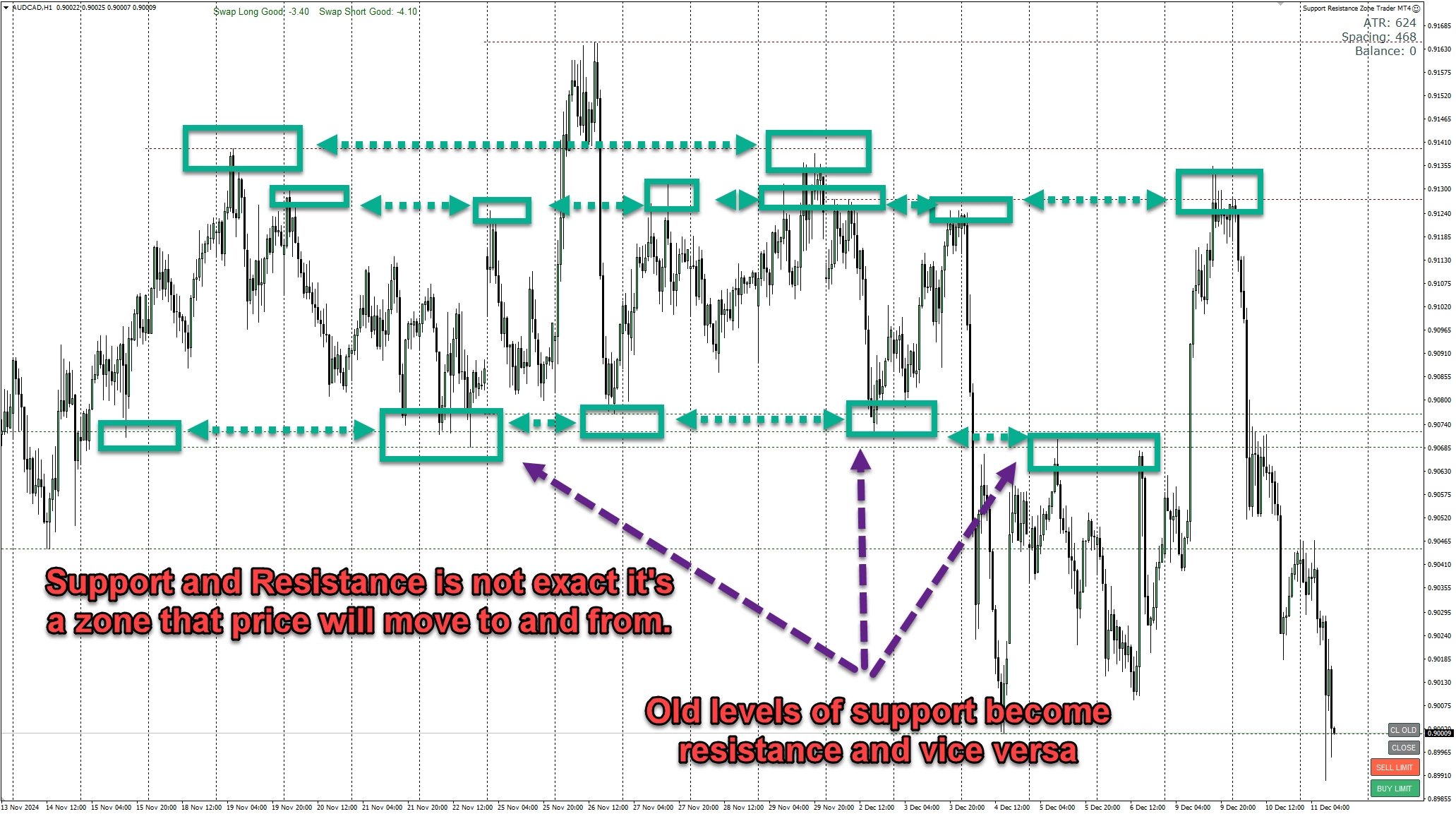
All you do is place the buy and sell zones where you think price is heading to. Price spends 80% of the time moving in ranges and narrow trends, searching for previous price points it has reacted at. You can easily identify these areas as they tend to be daily, weekly and monthly turning points for support and resistance, and for supply and demand they are the small accumulations or ranges before an explosive move. Those are the two main strategies that are best traded with the EA.
Recommended use for the EA and zone trading strategies is to simply check your charts once or twice a day. Analyse each instrument and place a buy and sell zone at the points of interest. Then leave the day’s price action to play out. The next time you look at the charts, one of two things will have happened.
1. Price will have moved to a zone and triggered a trade. Now you can simply place a new zone in the same direction behind your entry at the next backup support/resistance or supply/demand area. Then move onto the next chart and repeat.
2. Price will have NOT moved to either of the zones you have placed, and you can just move onto the next chart.
That is as simple as it gets. Don’t overthink, adjust zones or try to do anything else. Price will do what it does, and you have no control over it, so let the price action play out day by day and wait for zones to be reached.
Checking every morning before you go about your daily routine, and before you go to bed, is more than sufficient to manage swing trading strategies.
DOWNLOAD THE EA TO USE IN THE STRATEGY TESTER!
Try the EA out in the tester then get your licence for MT4 or MT5.
BUY THE EA & start trading on your live or demo account today!
Fully functional version to use in live or demo trading!
Have you seen the EA Bundle!
BUY EVERY EA & SAVE 50%
Get the whole collection of expert advisors
on the platform of your choice!


LET'S GET SOCIAL!
Join the Telegram or Discord servers
Get EA set files, strategies, free education and advice!
Get The Indicators & Dashboards I use
The indicators are all available direct from your MT4 or MT5 platform in the market section. Alternatively, you can get them on the MQL5.com website!

The Market Reversal Alert Indicator
The key to the strategy is knowing when price is starting to turn and change direction. This indicator draws in market structure for you, then sends you an alert so you can take a look at your charts and see if there is a valid reason to enter a trade.

The Market Reversal Alert Dashboard
This amazing dashboard monitors the major time frames and all pairs you trade and alerts you instantly when a potential reversal happens. No more staring at charts all day! Every pair and key time frame in front of you in one MT4 window. Priceless.

The ADR Reversal Indicator
The ADR Reversal Indicator shows you at a glance where price is currently trading in relation to its normal average daily range. You will get instant alerts via pop-up, email or push when price exceeds its average range and levels above it of your choosing.

The ADR Alert Dashboard
The ADR reversal dashboard allows you to monitor every pair or instrument you trade in one dashboard. You’ll get alerted every time something exceeds your set ADR levels and ensure you will never miss an opportunity.

The Trade Manager Dashboard
Take control of your forex portfolio. See instantly where you stand, what's working and what's causing you pain! The Trade Manager Dashboard is designed to make risk management and exposure to currencies easier to understand.

The RSI and TDI Alert Dashboard
The RSI / TDI alert dashboard allows you to monitor 6 main timeframes (selectable by you) at once on every major pair you trade. The dashboard will alert you to extended conditions (overbought and oversold) when a candle closes on the chosen time frame.

Symmetrical Triangle Pattern Indicator
Profit from market contraction and consolidation after price makes new highs or lows in the market. Get alerted when a contraction is happening, ready to pounce on the next continuation or reversal move that is building up.

Symmetrical Triangle Pattern Dashboard
Get alerted and see instantly when any instrument you trade forms a symmetrical triangle pattern on any time frame. Get ready to pounce on those triangle breakouts!

Opening Range Breakout EA
Profit from the explosive moves that occur at the open of stock indices and give yourself an actionable edge every day. The opening range breakout EA can be tweaked to your liking to capture the trends that form just after the open every day on the main stock indices like the DAX, DOW, NASDAQ and S&P500.

The Market Reversal Alerts EA
Based on the indicator, this EA will auto trade signals generated from the market reversal alerts indicator. It has powerful filters to configure as you like to trade including ADR, MAs and RSI. You can also use it to basket/grid trade, and it has every risk option you can imagine.

The Price Action Toolkit EA
The missing piece of functionality in MT4!
Fast order buttons to quickly enter, adjust and exit positions and scalp with lightning speed. Get price action candlestick alerts on the most commonly traded patterns and auto execute entries and exits based on your preferences.

Support, Resistance & Propulsion Gaps
Automatically draw support and resistance levels PLUS propulsion candle gaps on your chart, so you can see where price is likely to head next and/or potentially reverse. This indicator is designed to be used as part of the position trading methodology taught on this website and displays key information for targeting and potential entries.

Stock Index Hedge EA
Take advantage of the opening volatility of the major stock indexes and profit from the sudden moves created at those times when the market breaks away at the opening bell. The strategies’ goal is to simply benefit from those days when the market moves fast and hard in one direction at the open and bank that move.