
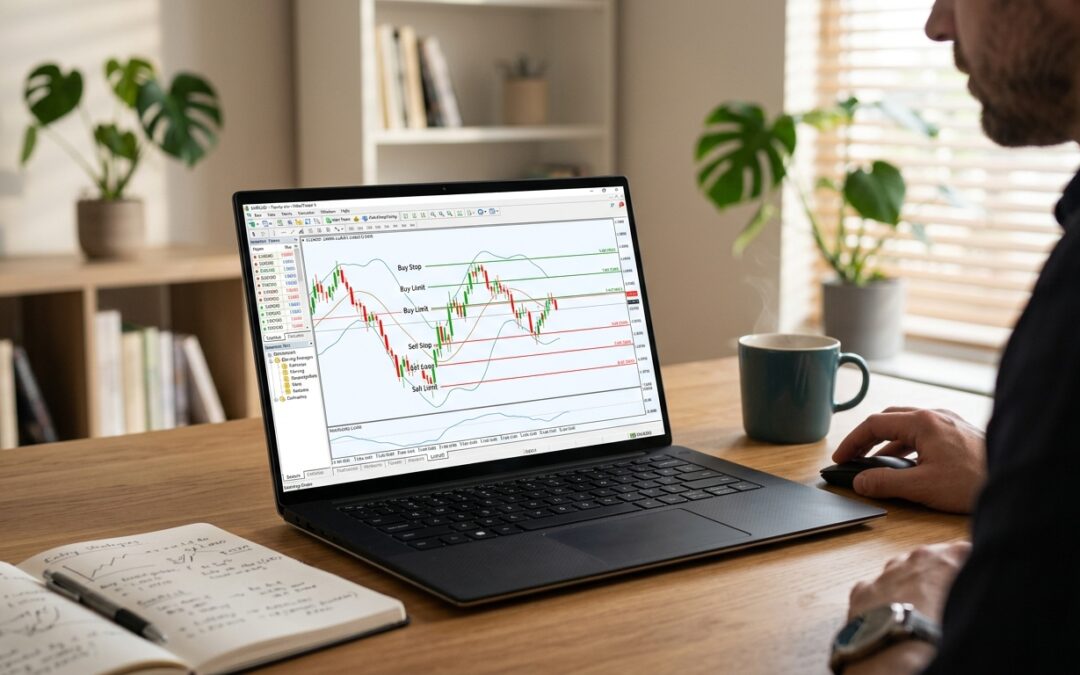
Most traders lose money not because their analysis is wrong, but because their execution is sloppy. They hesitate at the entry, chase price, or sit glued to a screen waiting for a setup that may never materialise during their session. Pending orders solve all three problems at once.
In MT4 and MT5, a pending order is a standing instruction to your broker: execute this trade when price reaches a specific level. You set the logic in advance, walk away, and the platform handles the rest. Understanding which order type to use in which situation is what separates traders who consistently get filled at good prices from those who perpetually enter late.
The Four Core Pending Order Types
MT4 offers four pending order types. MT5 extends this to six (adding Buy Stop Limit and Sell Stop Limit), but the four core types are the foundation of almost every automated setup you will build. Each one has a precise definition that controls when and how it fires.
- Buy Limit: an instruction to buy at a specified price that is equal to or lower than the current Ask price. You expect price to drop to your level before reversing upward.
- Buy Stop: an instruction to buy at a specified price that is equal to or higher than the current Ask price. You expect price to break above your level and continue higher.
- Sell Limit: an instruction to sell at a specified price that is equal to or higher than the current Bid price. You expect price to rally to your level before reversing downward.
- Sell Stop: an instruction to sell at a specified price that is equal to or lower than the current Bid price. You expect price to break below your level and continue lower.
The distinction between Limit and Stop orders comes down to one question: are you fading price movement to get a better entry, or are you joining price movement as it breaks through a level? Limit orders fade. Stop orders follow breakouts.
Buy Limit and Sell Limit: Entering at Value
Limit orders are the natural tool for pullback traders and anyone who works from identified support and resistance zones. If EUR/USD is trading at 1.0850 and you have identified a demand zone at 1.0800, you place a Buy Limit at 1.0800. Price has to come down to you. Your fill will always be at 1.0800 or better, never worse.
In a market structure context, Buy Limits belong at:
- Swing lows that have been confirmed as higher lows in an uptrend
- Previous areas of consolidation that broke to the upside (now acting as support)
- Fibonacci retracement levels aligning with a structural pivot
- Order blocks on the M15 or H1 that sit inside a higher-timeframe bullish trend
Sell Limits work identically but in reverse. If GBP/USD is at 1.2600 and a supply zone sits at 1.2680, you set a Sell Limit at 1.2680. You are selling into strength, at a level where you believe institutional selling will overwhelm retail buying pressure.
The advantage here is stark: you get a better average entry price than a trader who waits for confirmation and enters at market. The trade-off is that price may not return to your level at all, and the order expires unfilled. Set an expiry time on every limit order to avoid stale orders cluttering your terminal days later.
Buy Stop and Sell Stop: Trading Breakouts with Precision
Stop orders flip the logic entirely. You are not waiting for price to come back to you. You are saying: if price reaches this level, that itself is confirmation, so get me in immediately.
A Buy Stop above a swing high is the cleanest breakout entry tool available. Suppose the S&P 500 (US500) has been consolidating between 5,100 and 5,150 for three sessions. You identify 5,152 as the breakout level, just beyond the cluster of swing highs. A Buy Stop at 5,152 fires the moment Ask price tags that level, entering you into the breakout move without requiring you to watch the screen at the precise moment price accelerates.
Sell Stops work the same way on the downside. A key support at 1.0750 on EUR/USD that you expect to break becomes a natural Sell Stop placement. When Bid price reaches 1.0750, the order executes and you are short into the continuation move.
The practical risk with stop orders is slippage during fast-moving markets. In thin liquidity or around high-impact news, price can gap through your level, and you get filled several pips beyond where you intended. For this reason, some traders avoid stop orders around major news events and prefer to be flat or already positioned beforehand.
Building a Full Trade Plan with Pending Orders
The real power of pending orders appears when you combine them with your stop loss and take profit levels at the point of order placement. In MT4 and MT5, you set all three values simultaneously: the entry level, the stop loss, and the take profit. Once the pending order triggers and becomes a live trade, the stop and target are already active.
A clean workflow for a market structure reversal setup looks like this:
- Identify the higher-timeframe trend direction and the last significant swing point.
- Mark the pullback zone where you want to re-enter in trend direction (this becomes your limit order level).
- Define your invalidation level (stop loss) below the swing low for longs, above the swing high for shorts.
- Set a take profit at the next structural target, typically the prior swing high for longs.
- Place the Buy Limit or Sell Limit with all three fields populated.
- Set an expiry, usually 24 to 48 hours, or aligned with a specific session end.
Now you can close MT4, step away from the terminal, and the setup either triggers cleanly or it doesn’t. There is no temptation to move the entry because price got close, no second-guessing the stop placement under live pressure.
Common Mistakes That Kill Pending Order Setups
Even traders who understand the mechanics trip over execution errors that negate the whole advantage of pre-planned orders.
- Placing limits too close to current price: a limit entry needs breathing room. If your Buy Limit is only 5 pips below current price on a pair with a 20-pip average hourly range, it will trigger almost immediately and offer no improvement over a market order.
- No expiry on limit orders: a Buy Limit placed during a ranging phase that never gets swept can sit dormant, then fire days later during a completely different market context.
- Using a Buy Stop to buy into a liquidity void: if there is no real structural reason for the level, a stop entry into empty space just chases price at the worst possible moment.
- Forgetting to account for the spread: MT5 fills Buy Limit orders at Ask, and Sell Limit orders at Bid. On pairs with wide spreads, your effective entry is worse than the price you typed. Factor the spread into every pending order you place.
MT5 Additions Worth Knowing
If you trade on MT5, two additional order types are available: Buy Stop Limit and Sell Stop Limit. These are hybrid orders. A Buy Stop Limit triggers a Buy Limit order when price reaches the stop level, rather than executing immediately. This gives you a breakout trigger combined with a controlled fill price, useful when you want confirmation that a level has been breached but still want to buy a small pullback into the new breakout level rather than chasing the spike.
These are more advanced and less commonly used, but for traders running algorithmic strategies through Expert Advisors on MT5, they offer precise control over entry sequencing that simple stop or limit orders cannot match.
Putting It Together
Pending orders are not just a convenience feature. They enforce discipline by requiring you to define your trade plan completely before price gets anywhere near your level. By the time the market arrives at your order, the emotional content of the moment is removed. The order fires or it doesn’t. You either get the trade you planned or you wait for the next setup.
That shift from reactive to pre-planned execution is one of the most consistent improvements active traders can make, and MT4/MT5 makes it straightforward. Get the four core order types into muscle memory, build them into every structural setup you identify, and let the platform do the work.