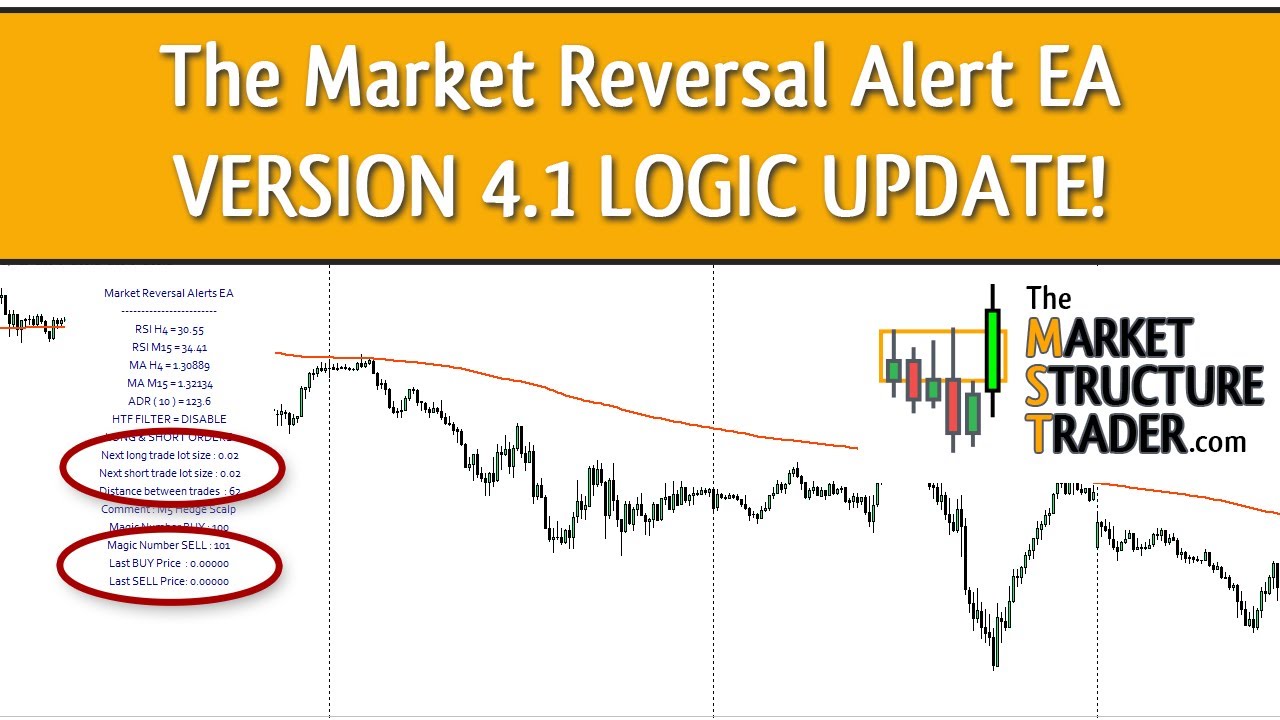
This video shows what’s new in version 4.1 of the EA. This update is purely a logic change and tweaks an issue found by some position/basket traders that were manually closing positions or letting the EA handle drawdown control. This update simply changes the way the EA stores the last traded level and lot size so it gets into additional positions more conservatively and will help with drawdown and manual closing.
👉 Some set files for the EA are available on the MQL5 website here: https://www.mql5.com/en/blogs/post/745984
👉 Market Reversal Alerts EA To Automate Your Trading: https://www.mql5.com/en/market/product/65383
👉 All Indicators Used On My Charts Are Available Here: https://themarketstructuretrader.com/the-indicators/
👉 The FREE Position Trading Bootcamp Course is Here: https://themarketstructuretrader.com/category/the-position-trading-bootcamp/
👉 Join Me & Position Trade Daily For Free In The Live Room Twice a Day: https://themarketstructuretrader.com/the-live-room/
👉 Join The Community Chat on Telegram Here: https://t.me/market_structure_trader_chat
Video Transcript
Hi, I just wanted to do a quick video for you to explain the logic change in version 4.1 of the market reversal alerts EA and this is quite a complicated one to explain on paper which is why I thought I’d do a little video just to visually explain to you how the logic change is working. So I have a set file here, which is a test file, version 4.1 test. And what the EA is set up to do is to take a 0.3% lot size trade based on an ADR stop of 0.5. It is using a TP, which is a fixed TP and that is just 50 pips. It’s going to just get in to trades, just basically hedges when the market reversal alerts indicator is triggered.
It’s basket trading so it’s taking multiple positions using a lot size multiplier of 1.3. It is taking positions half an ADR apart it will close all of those positions at 15 pound in profit or at one ADR but it won’t get to those because we’ve got a 50 TP set and we are doing drawdown control so at a percentage of drawdown which is one percent sorry at one ADR of drawdown it will close out one third of the positions okay so this is how it is set up and I’m just going to show you how version 4 currently handles this. So I’ve noticed and a few people have noticed that when you are position trading specifically with the EA there’s a slight issue where the EA will take different position sizing based on if you have manually closed a position yourself or it has partially closed a position mainly using drawdown control options. Okay so what this EA update is designed to do is to handle the lot size multiplication in a better way or to handle new positions in a better way and also allow you to manually close positions out without it affecting the level at which the EA takes additional trades at. So I’ll let this EA run and just talk you through exactly what it’s doing, how it’s doing it and why. So we’re going to take a trade here initially as a 0.05 and we get an alert there. Okay, there’s our TP and the price is going to push down and we’re going to do partial drawdown control. Now you can see at the moment the EA is saying the next lot size is going to be a 0.07 which is a 1.3 multiplier of 0.05, which is our initial lot size. As we move down and do partial drawdown control, because it’s pushed down one ADR against us, that position now becomes a 0.03. The problem here is the EA is still going to take a 0.07 position because the last entry we placed was a 0.05. The fact that we’ve reduced that either manually or via the EA’s drawdown control options means that the EA will still get in that position, lot size, which is a 0.07.
So we’ll let this carry on playing out. And obviously 0.07 is a lot larger than 1.3. So now we’ve taken that position and we’ve got a 0.1 on. Okay. So we’ve got 0.7 on there and a 0.3. Now our next trade lot size is going to be 0.09 which is fine because that is a 1.3 multiplier of this 0.07 position we have. So we’ll let that one play out and we’ll see what happens with the next trade. So price pushes down the next day and what we’re going to do is going to get some more drawdown control done on that 0.05 on but the next long trade is still a 0.09 so that’s almost double the lot size where we’ve asked the EA to take 1.3 multipliers as price pushes against us. So as we carry on going we’re going to get a new trade taken and that new trade is going to be taken after more drawdown control on that first position and we get an alert there, okay?
So we’ve taken a 0.09, and we’re just about to hit TP. So you can see that we’re going with a 0.11, which is correct, which is a 1.3 multiplier of this size here. But as we hit TP, the EA is still saying that the next position taken will be a 0.11, which is incorrect, as we should be now multiplying this last position, 0.05, by 1.3. So as we carry on trading you’ll see we take a little cell there which is a 0.5 that one’s just going to drop down and take a profit in a second. When that’s taken its profit then we’ll take our next long position and the next long will be taken at a 0.11.
Okay so we’re doing more drawdown control on that higher level position there. So this one has now gone down to a 0.03. So this trade here should really be a 1.3 multiplier of that, which would be a 0.05. But what it’s doing is it’s taking a 0.11. Now our next trade size is 0.15. And as you can see, now we’re going to take this next TP. One second, there we go. The next lot size is still going to be a 0.15. Now the other thing to draw your attention to here is the levels. Now we have the EA taking trades 0.74 pips apart, 74 pips apart.
So what it should be doing is measuring the distance from this last position and taking trades if they are 74 pips below that trade there. But what you will see is that it takes trades at the last opened position that we closed. So 1.28103 which is this position here. So if price was to push up, pull back and make an alert there, it would not take a trade because it needs to be below this level. So it’s not storing the global variables correctly when you’re doing partial closes and when you’re doing manual closes as well. All right. So that is how the current version works and it works fine, but obviously it tends to get into very large position sizes, whereas it could be controlling your drawdown better by getting into smaller positions, bringing your average down in the same way as it should do, but not with such huge lot sizing. The danger is obviously if the market pushes against you hard and you’ve taken a 0.15 down here and you’ve got a 0.5 up there, that’s way too big of a position. So this is version 4.1 I have running now.
So this is the latest version of the EA. It’s got pretty much the same sets file in, except I’ve got slightly different lot sizing on this one so it’s just taking a 0.2 instead of a 0.5 on the first trade but the logic is slightly different as you’ll see. So we’ve now got the last buy price and sell price also available in the dashboard. So we’ll let this one take a trade, okay, so we can see it’s taken a 0.02 and the next long trade is now a 0.03. So we’ll let this one come down and do drawdown control as it did before and now you can see that it’s closed this partially and put it down to a 0.01, but now the next trade lot size is gonna be a 0.02. So what it’s doing is doing the 1.3 multiplier based on what’s left of this position, not what the original position was.
So we’ll let this carry on trading and it’s gonna move down, okay? And now we can see we’ve taken another trade here, which is a 0.02. The next position will be a 0.03 and we’ve got our TP there and we’ll let this one play out you can see the lot size here as well as 1.30529 which is this trade we’ve got there. So we just wait for this little bit of consolidation. There we go. So we’ve just closed out now a partial on this one, taking that down to a 0.01. And now you can see the lot size has reduced from a 0.03 to a 0.02 because it’s using this to do the lot size multiplication on and not the previous lot size which was a 0.02 to be a 0.03. You can see here we’ve just taken another small position there which is closed in a TP. Now the difference we have here if you remember on the last version of the EA we were looking at this as being the last entry level so what would have to have to happen now for the EA to take another trade is it would have to move down 66 pips below this level, down to around there to get an alert before it would take a trade because this is the last level that was stored.
Now when this position has been closed the EA now says right what was the last open position I’ve got as a buy and I will use that one for my calculations. So now it’s using 130.529, which is that trade entry there. So we’ve only got to be now 66 pips below that to get into our next trade, rather than all the way down here. So it allows us to space our positions more evenly as well, which the other version of the EA didn’t do, if you’d done a partial close or if you’d done a manual close, okay?
So this is the only real change that you should see with your existing set files is if you’re using position trading and if you are manually closing positions either partially or fully or the EA is partially or fully closing positions for you. So the storage of lot sizing and lot and entry levels is now being calculated every time a trade entry is taken or closed based on the last open position, lot size and level rather than whatever happens to positions which are further up. So it’s an advancement basically on the position trading strategy and it should help you to reduce your drawdown because instead of getting in with crazy lot sizing just because we’ve taken a profit on a position or we’ve taken a partial profit we’re now able to continue our profit taking if the market starts to range because we can get into positions, take profits, in again, take profits, in again, take profits and it will automatically calculate the correct lot sizing regardless of how many positions we take and what levels they will be, all right?
So that’s the update. If you don’t want to update to version 4.1, if you don’t like this logic, feel free to stay on version 4. Personally, I think this is an enhancement on the current logic, which is, I think, slightly flawed. It worked at the beginning when I developed the EA but as we’ve developed and moved the EA forward there’s things like this which crept in because we introduced partial drawdown control, partial profits which we didn’t have in the first one. So these are kind of knock-on effects from the development of the EA which don’t quite work properly but only for people who are using position trading, and particularly with lot size multiplication, and only really if you’re doing manual drawdown control or you’re doing partial drawdown control.
So the EA will now be able to handle your trades much more effectively for you with you manually intervening, all right? So that’s version 4.1. Obviously, hopefully that will explain in more detail what it’s doing.