
The Position Trader EA
Turn any trading strategy into a position trading strategy or trade the proven RSI & ADR based position trading strategies, including automated drawdown control system for positions that move against you. This EA is an evolution and a simplification of the MRA EA that has been used for position trading strategies taught on the Market Structure Trader website for many years.

More Information & Purchase Links




The Position Trader EA
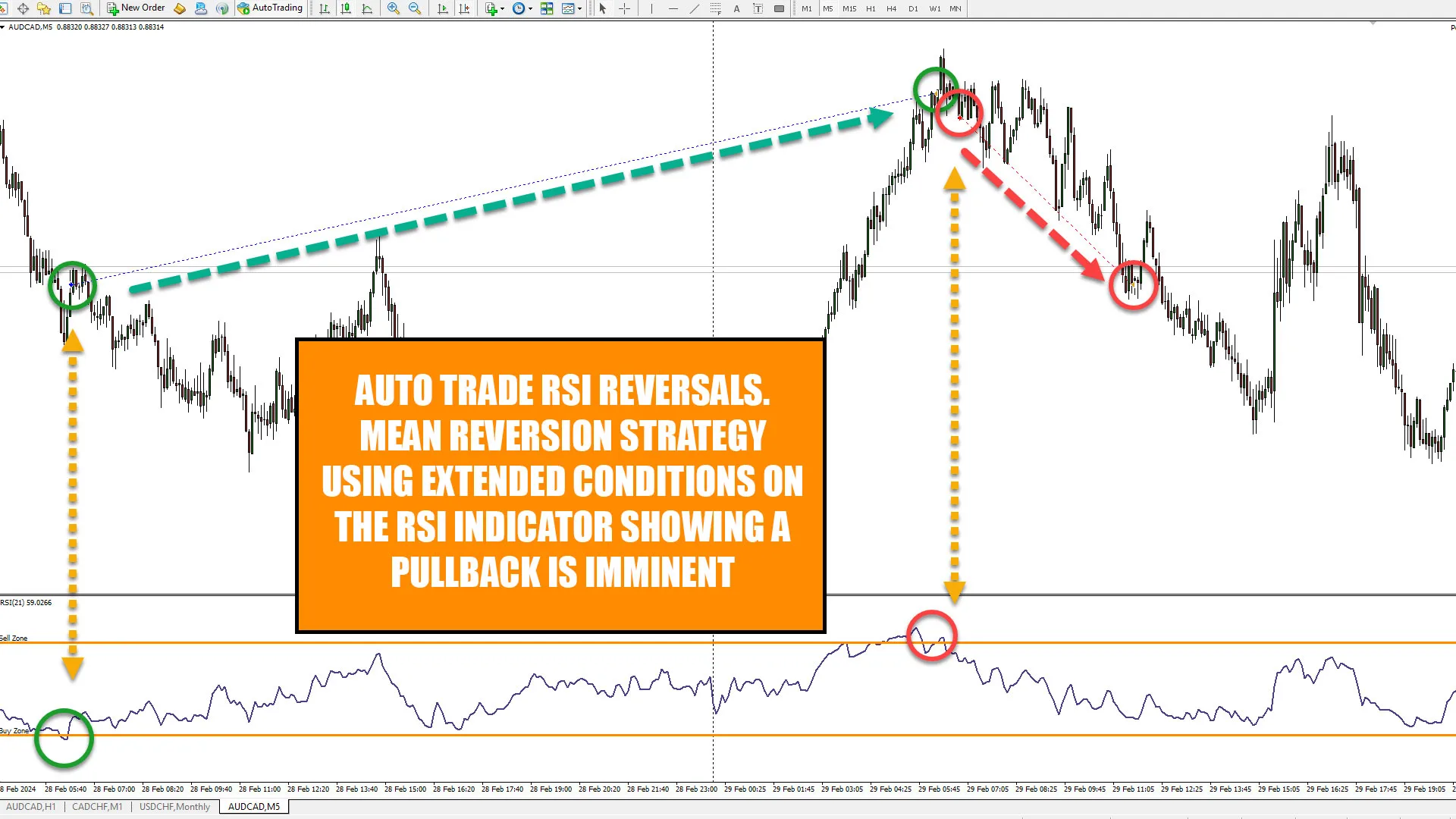
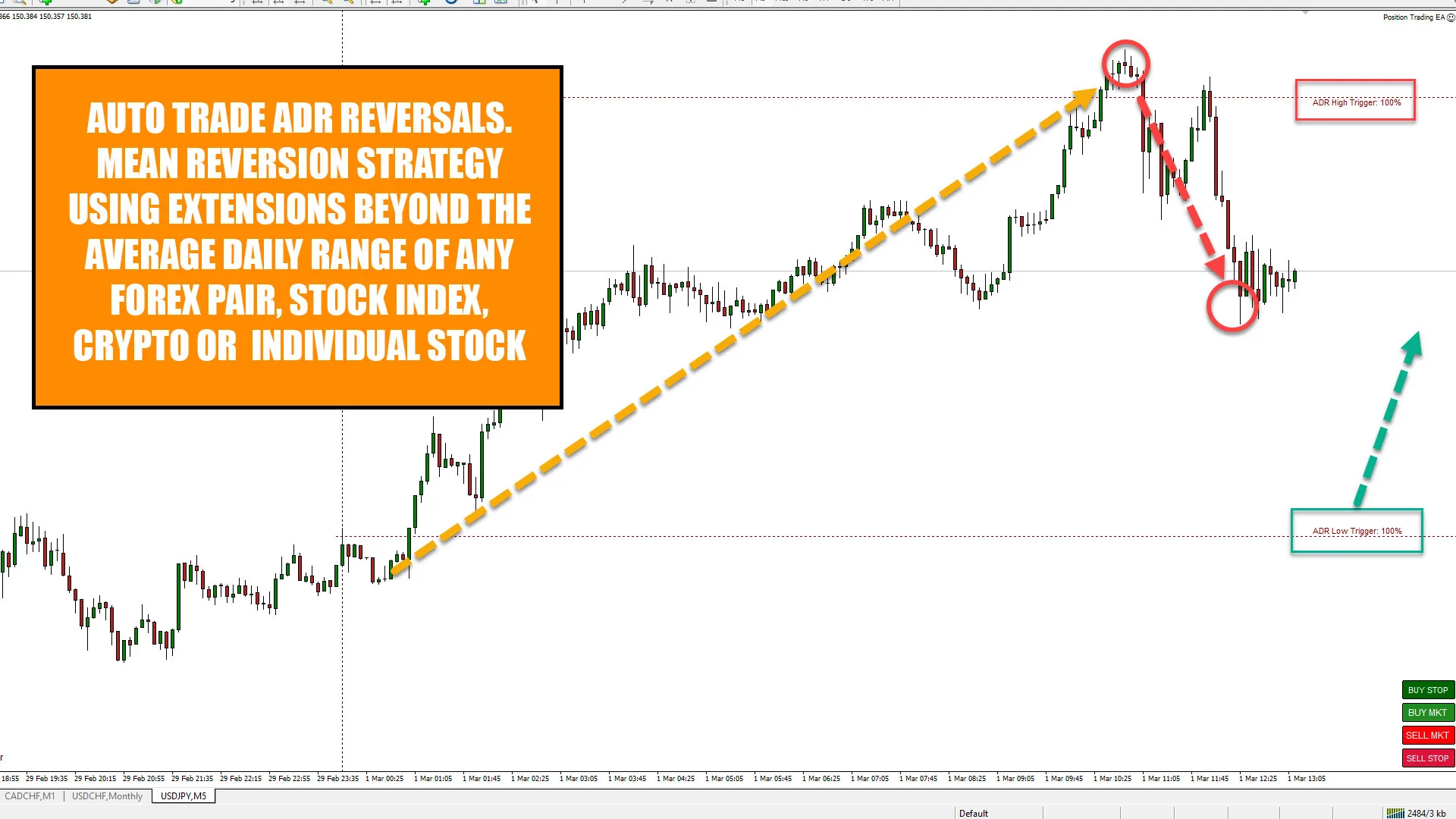
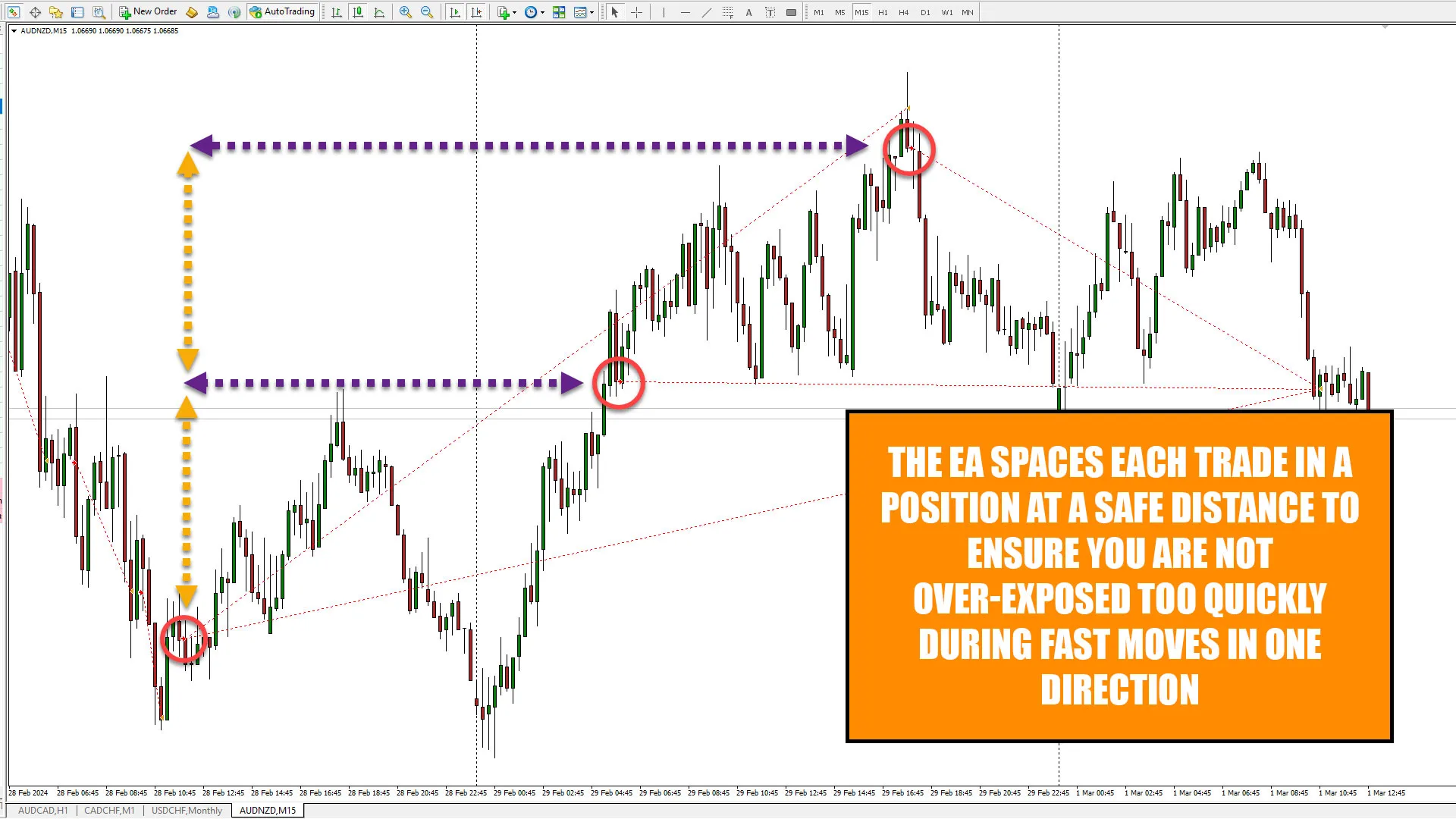
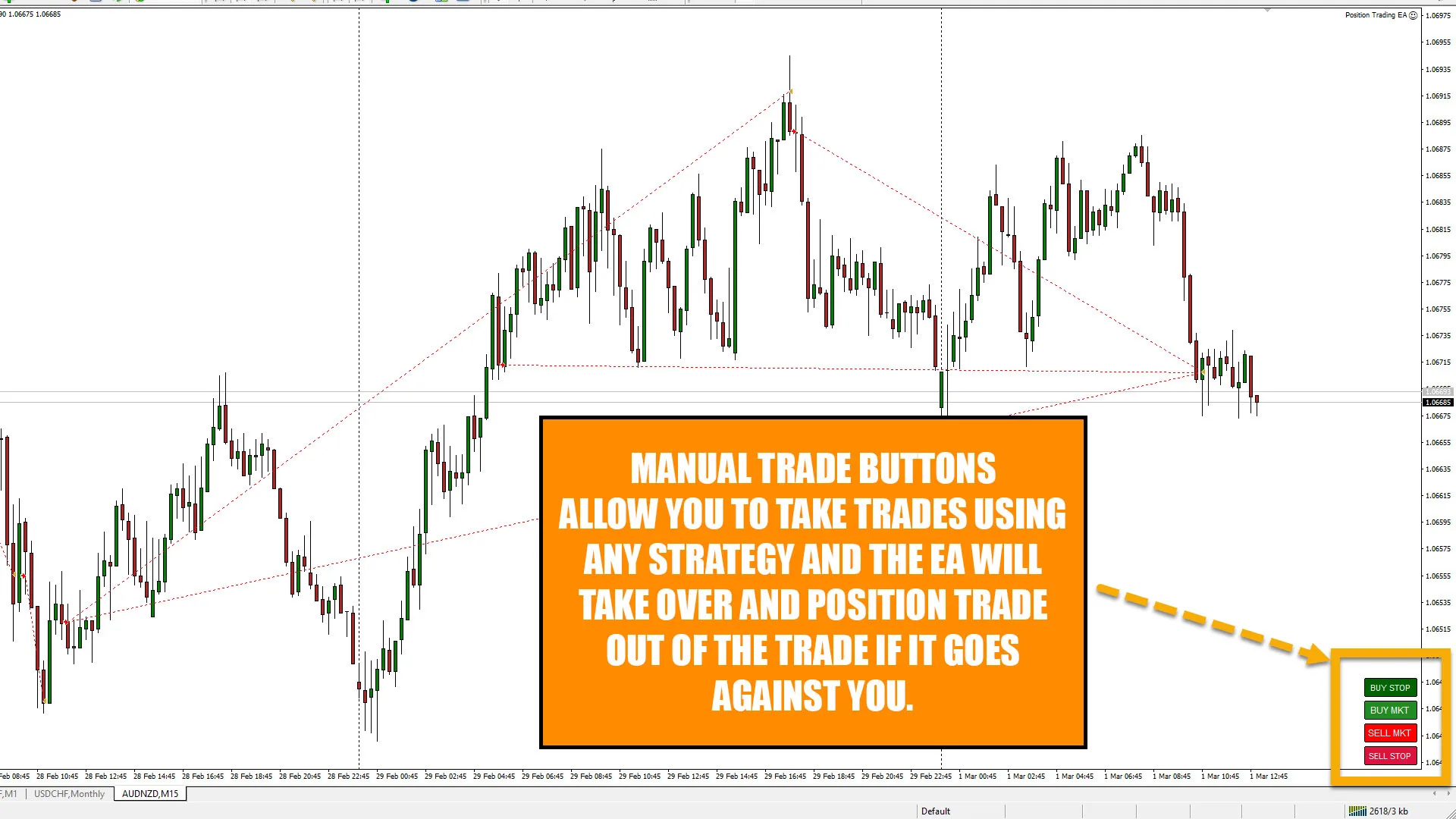
The EA will automatically scale into market structure moves using “elastic band theory” and mean revert moves taken by the banks and institutions using either the RSI indicator or extensions of the average daily range (ADR) of any forex instrument you want to trade. Position trading is a method of entering the market using small risk and multiple entries, meaning the accuracy of the initial trade entry is less important than the way the trade is managed by the EA after entry. Markets are unpredictable and virtually impossible to time movements in with any kind of accuracy that is sustainable long term, this is why the majority of trading strategies and traders fail. You can also convert virtually any strategy you currently trade or have traded in the past into a position trading strategy by simply taking an initial market entry using the quick trading buttons on the EA. Once this initial trade is taken, the EA will then either auto close the trade when at a designated profit level or turn the trade into a position trade by scaling in on the next leg of the market structure move for you.
Main Functionality:
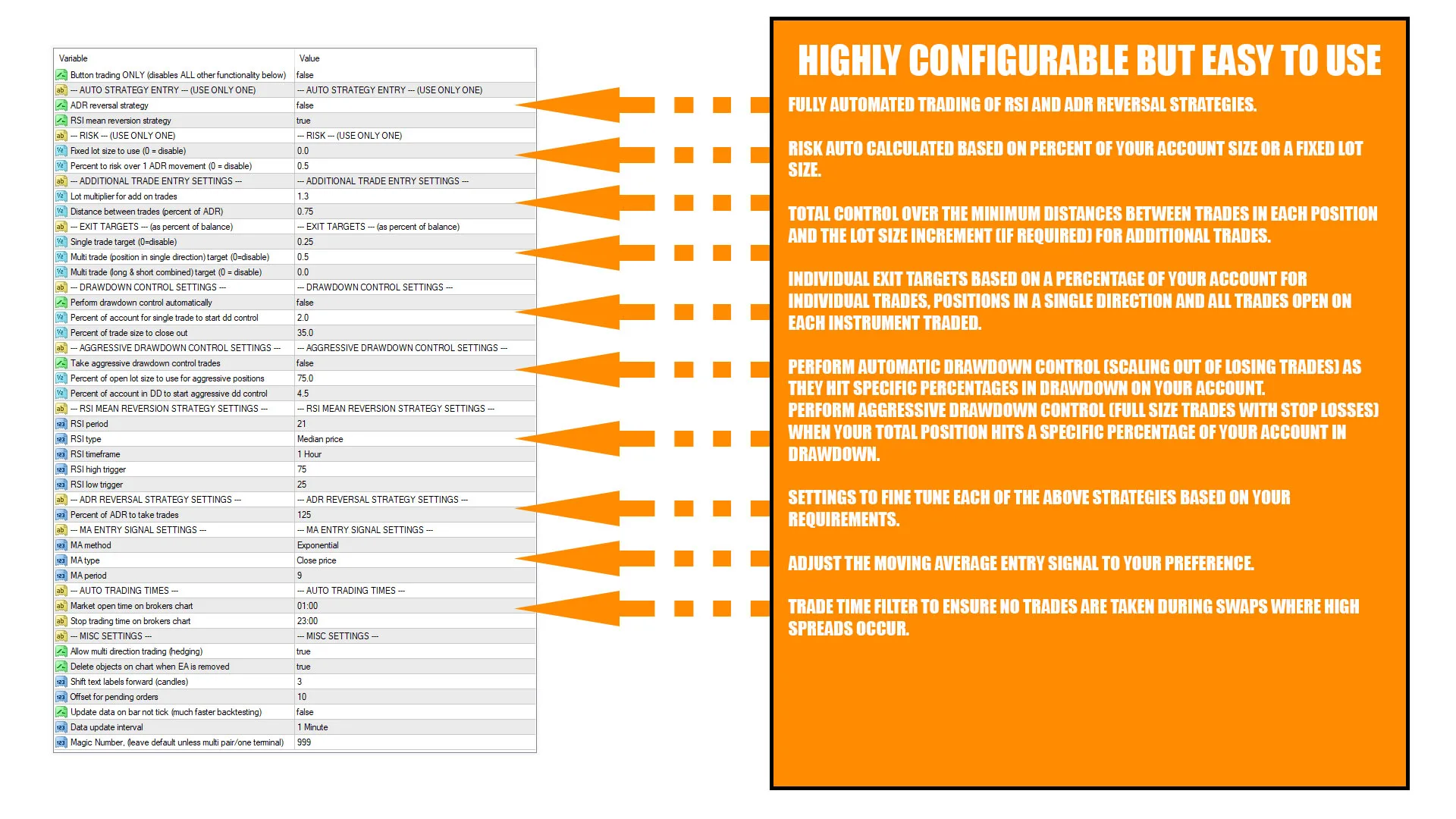
- Fully automated trading of RSI based mean reversion strategy.
- Fully automated trading of ADR based mean reversion strategy.
- Settings to fine tune each of the above strategies based on your requirements.
- Simple, configurable entry condition using any moving average to trigger trades when strength is detected in the direction the strategy will trade.
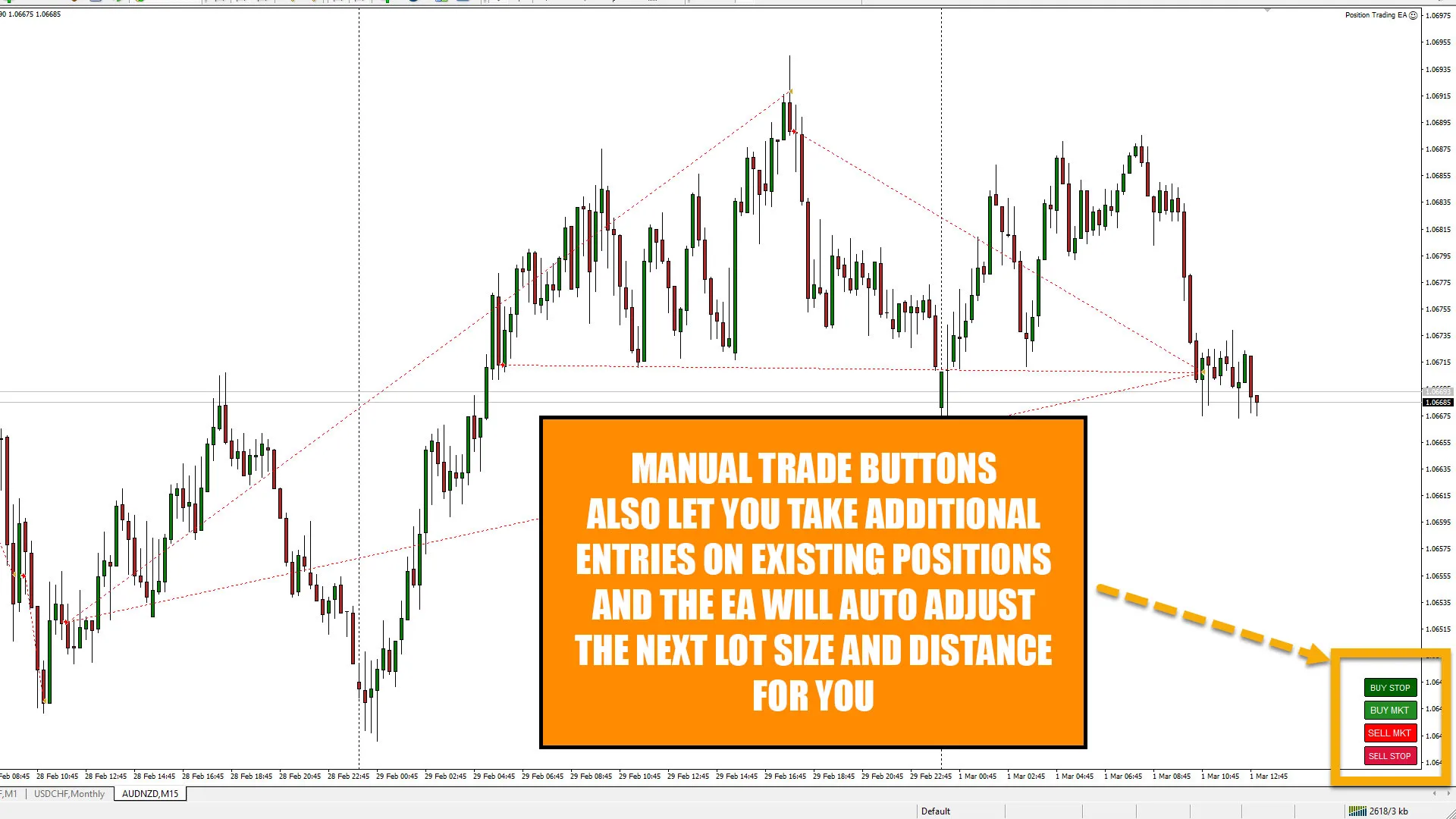
- Manual trade buttons to take initial entries or place manual additional trades in any existing position.
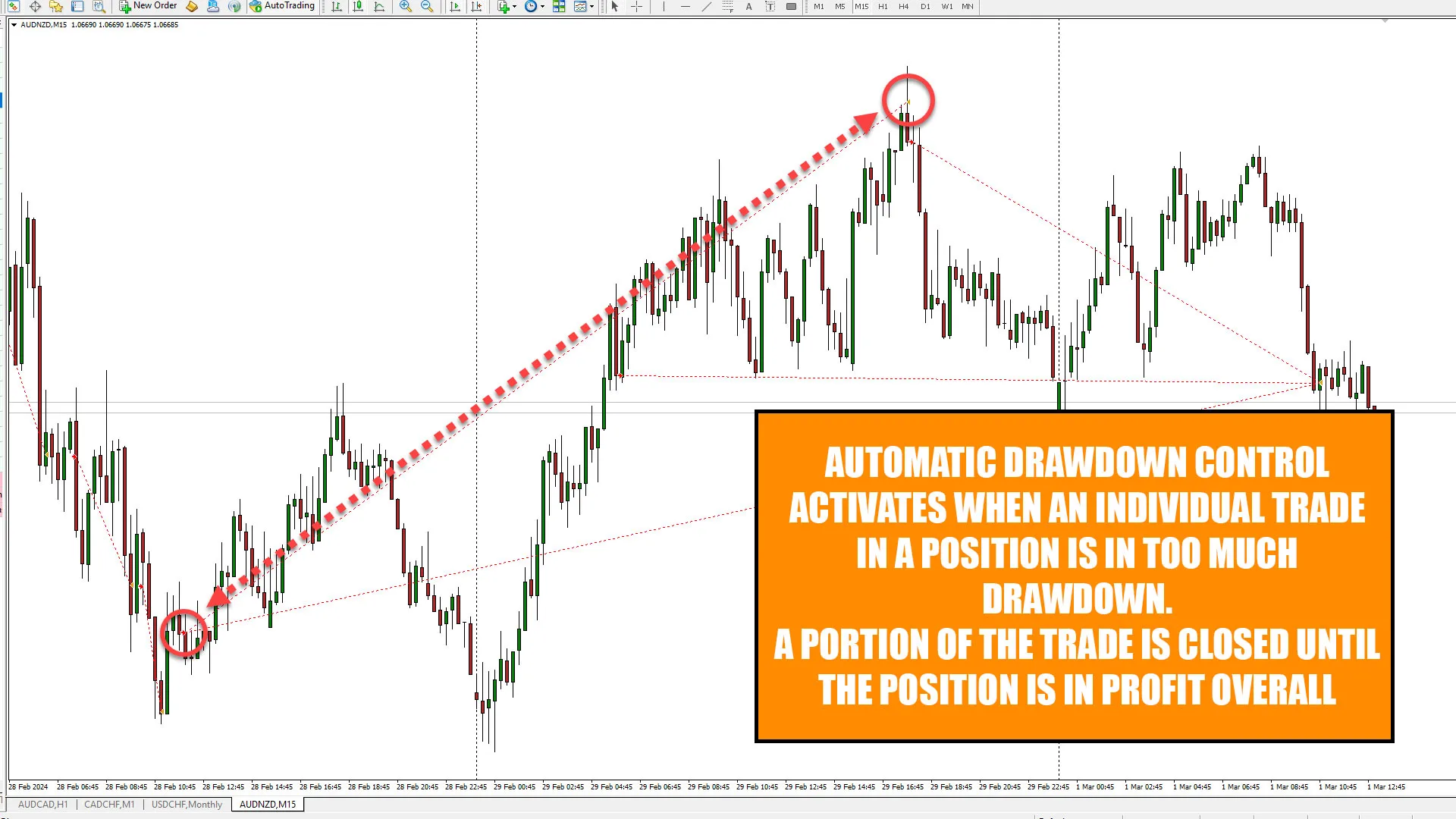
(Use these to trade any strategy and let the EA automatically turn trades that don’t work into position trades). - Perform automatic drawdown control (scaling out of losing trades) as they hit specific percentages in drawdown on your account.
- Perform aggressive drawdown control (full size trades with stop losses) when your total position hits a specific percentage of your account in drawdown.
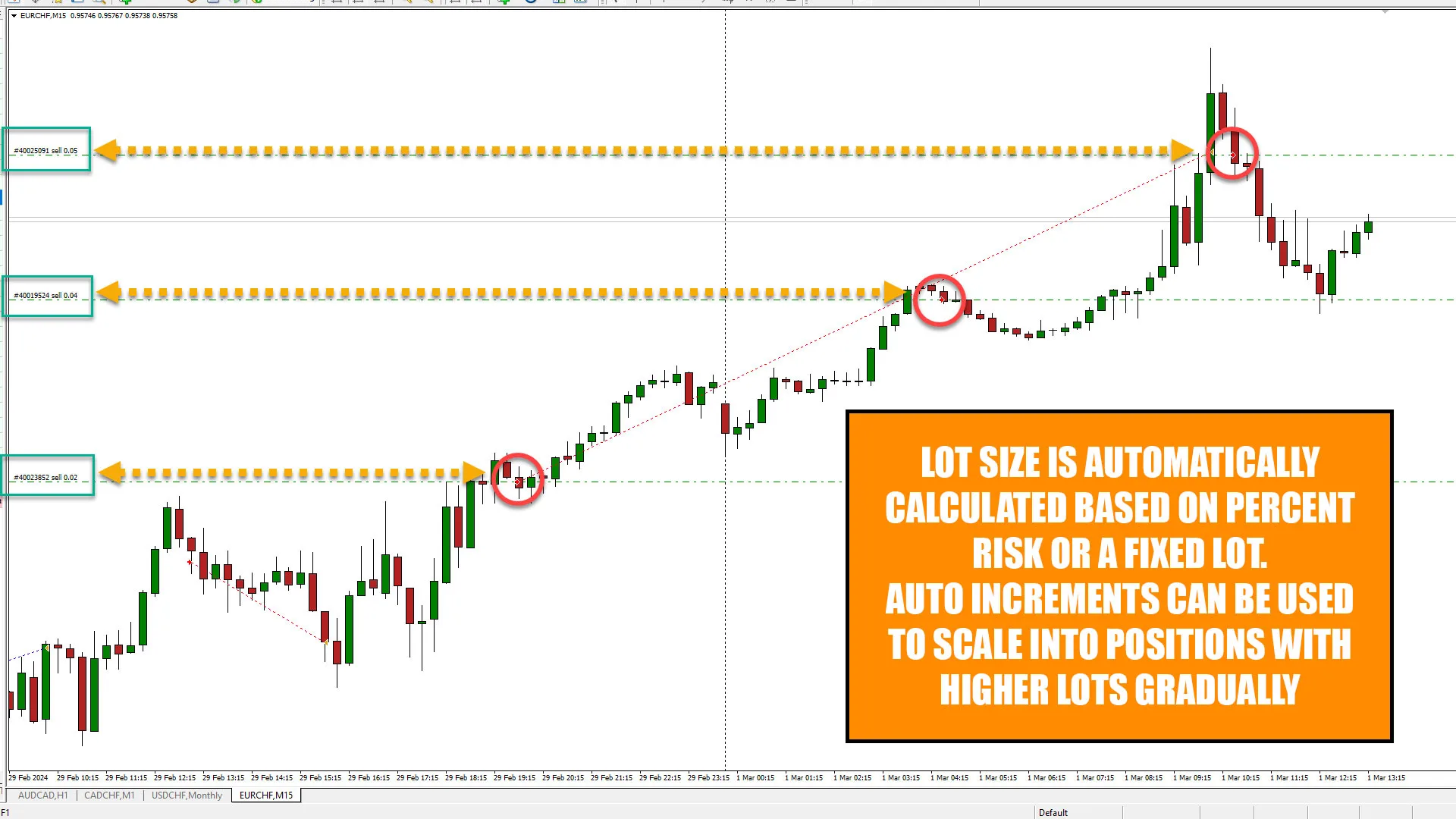
- Total control over the minimum distances between trades in each position and the lot size increment (if required) for additional trades.
- Risk auto calculated based on percent of your account size or a fixed lot size.
- Individual exit targets based on a percentage of your account for individual trades, positions in a single direction and all trades open on each instrument traded.
- Trade time filter to ensure no trades are taken during swaps where high spreads occur.
- Can trade on any timeframe using the RSI mean reversion strategy (M5 timeframe recommended for ADR strategy)
EA Functionality & Logic:
The EA monitors the market for extended conditions on RSI or ADR depending on the strategy you are trading and will then, once the conditions for a trade are met, monitor the timeframe it is running on for an entry into the market. The entries are all taken using a moving average on the timeframe the EA is running on. e.g. if you run the EA on the M5 timeframe it will take a trade when the price closes above or below the MA you set in the inputs on that timeframe. The moving average entry logic is that price needs to open above the moving average and close below it to take a short entry and the opposite for longs. The EA monitors the last candle closed. When a trade is placed the EA will then auto calculate a level above shorts or below longs based on average daily range and get ready to add additional trades if price exceeds this level. The lot size of the next trade is also auto calculated by the EA, this level and the lot size are determined by the inputs you select. The EA automatically monitors the current profit and drawdown of each trade and the total position (all trades in the same direction) and will automatically close either complete trades or partial size based on the inputs for drawdown control and profit targets.
Recommended Setup For The EA:
The strategies for the EA was developed on forex markets as they have a very rhythmic movement and market structure is often clearly defined so you should be able to run the EA on any forex pair but any other instrument will also work so test!
As with all EAs it is advisable to have the EA running on a machine that is left on 24/7 so the EA can work constantly and monitor the market for you. It is recommended to run the EA on the M5 timeframe for the ADR strategy and if you are trading using RSI it is advisable to also use M5 or M15, assuming you are monitoring RSI levels on the H1 and H4 timeframes. The EA enters the market using a moving average as the entry signal and that is on the timeframe it is running on. Bear in mind if you set the EA to manual mode where it uses the trading buttons only, it will still manage any entries you take with the buttons on the version of the EA running on your VPS/trading PC. Run each strategy you trade on a seperate terminal and seperate trading account so the EA doesn’t not get confused with multiple entries using multiple strategies on the same account/terminal. This is best practice for all trading.
My setup: I have multiple terminals running on my own VPS, each terminal is logged into a different trading account and each account is only running one strategy. This way I know exactly what is and is not working at any time. Each terminal has every chart I want to trade opne (all FX pairs in my case) and the EA is set on each chart on the M5 timeframe and will auto enter for me based on RSI or ADR depending on which acocunt it is.
On my trading PC that I use for analysis in my office I also have the EA running on a chart but set to “button trading only” mode. This means I can manually add trades into a position and then the EA running on that chart on my VPS will take over, adjust the next entry level and lot size for me.


Join the Telegram Group
Join the Discord Server
Get The Indicators & Dashboards I use
The indicators are all available direct from your MT4 or MT5 platform in the market section. Alternatively, you can get them on the MQL5.com website!

The Market Reversal Alert Indicator
The key to the strategy is knowing when price is starting to turn and change direction. This indicator draws in market structure for you, then sends you an alert so you can take a look at your charts and see if there is a valid reason to enter a trade.

The Market Reversal Alert Dashboard
This amazing dashboard monitors the major time frames and all pairs you trade and alerts you instantly when a potential reversal happens. No more staring at charts all day! Every pair and key time frame in front of you in one MT4 window. Priceless.

The ADR Reversal Indicator
The ADR Reversal Indicator shows you at a glance where price is currently trading in relation to its normal average daily range. You will get instant alerts via pop-up, email or push when price exceeds its average range and levels above it of your choosing.

The ADR Alert Dashboard
The ADR reversal dashboard allows you to monitor every pair or instrument you trade in one dashboard. You’ll get alerted every time something exceeds your set ADR levels and ensure you will never miss an opportunity.

The Trade Manager Dashboard
Take control of your forex portfolio. See instantly where you stand, what's working and what's causing you pain! The Trade Manager Dashboard is designed to make risk management and exposure to currencies easier to understand.

The RSI and TDI Alert Dashboard
The RSI / TDI alert dashboard allows you to monitor 6 main timeframes (selectable by you) at once on every major pair you trade. The dashboard will alert you to extended conditions (overbought and oversold) when a candle closes on the chosen time frame.

Symmetrical Triangle Pattern Indicator
Profit from market contraction and consolidation after price makes new highs or lows in the market. Get alerted when a contraction is happening, ready to pounce on the next continuation or reversal move that is building up.

Symmetrical Triangle Pattern Dashboard
Get alerted and see instantly when any instrument you trade forms a symmetrical triangle pattern on any time frame. Get ready to pounce on those triangle breakouts!

Opening Range Breakout EA
Profit from the explosive moves that occur at the open of stock indices and give yourself an actionable edge every day. The opening range breakout EA can be tweaked to your liking to capture the trends that form just after the open every day on the main stock indices like the DAX, DOW, NASDAQ and S&P500.

The Market Reversal Alerts EA
Based on the indicator, this EA will auto trade signals generated from the market reversal alerts indicator. It has powerful filters to configure as you like to trade including ADR, MAs and RSI. You can also use it to basket/grid trade, and it has every risk option you can imagine.

The Price Action Toolkit EA
The missing piece of functionality in MT4!
Fast order buttons to quickly enter, adjust and exit positions and scalp with lightning speed. Get price action candlestick alerts on the most commonly traded patterns and auto execute entries and exits based on your preferences.

Support, Resistance & Propulsion Gaps
Automatically draw support and resistance levels PLUS propulsion candle gaps on your chart, so you can see where price is likely to head next and/or potentially reverse. This indicator is designed to be used as part of the position trading methodology taught on this website and displays key information for targeting and potential entries.

Stock Index Hedge EA
Take advantage of the opening volatility of the major stock indexes and profit from the sudden moves created at those times when the market breaks away at the opening bell. The strategies’ goal is to simply benefit from those days when the market moves fast and hard in one direction at the open and bank that move.