
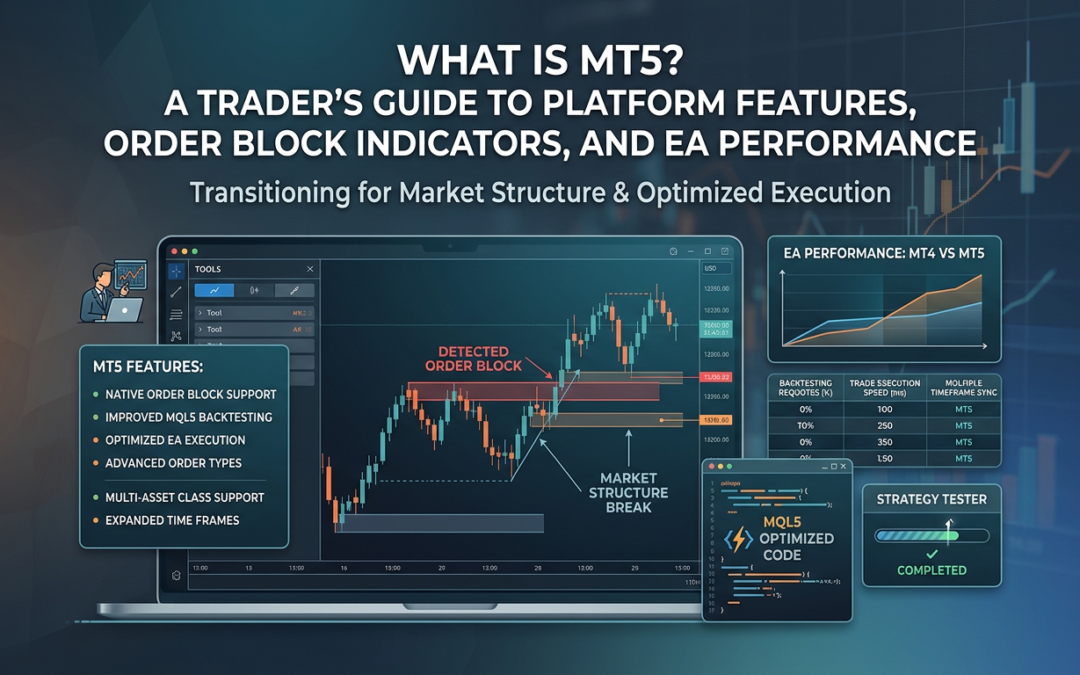
MetaTrader 5 was built by MetaQuotes in 2010, and while it shares DNA with MT4, it is a fundamentally different platform under the hood. For traders focused on market structure, order blocks, and automated execution, those differences matter. This guide breaks down what MT5 actually offers, where it outperforms its predecessor, and how to get the most from it if you are running indicators or expert advisors (EAs) focused on high-probability setups.
MT5 vs MT4: The Differences That Actually Matter
MT4 was designed specifically for forex retail trading and it shows. MT5, by contrast, is a multi-asset platform. Depending on your broker, you can trade forex, equities, stock indices, commodities, futures, and crypto from a single account and terminal. That alone makes it more relevant for traders who split time between, say, EUR/USD and the S&P 500 futures.
Beyond asset coverage, MT5 adds 21 timeframes compared to MT4’s 9. You get everything from M1 up to MN, plus intermediary frames like M2, M3, M4, M6, M10, M12, H2, H3, and H6. For market structure analysis, the H2 and H3 frames alone open up cleaner structure reads that previously required manual chart manipulation in MT4.
MT5 also ships with 38 built-in technical indicators versus MT4’s 30, and it supports a proper Depth of Market (DoM) panel. If you are trading instruments where order flow context matters, the DoM gives you a live view of resting limit orders at each price level.
The Order System Upgrade
This is where MT5 pulls ahead in a meaningful way for active traders. MT4 uses a hedging-only account model, which means every new position in the same direction opens a separate trade. MT5 supports both hedging and netting account types, depending on broker configuration.
More importantly, MT5 introduces two additional pending order types that MT4 does not have:
- Buy Stop Limit: places a buy limit order when price reaches a specified higher level
- Sell Stop Limit: places a sell limit order when price reaches a specified lower level
For traders who want to fade into an order block zone rather than chase a breakout, the stop limit order type is genuinely useful. You can define the trigger level and the fill level separately, giving you more precise entry control than a straight stop or limit alone.
Backtesting and Strategy Optimization in MT5
Anyone who has run multi-currency EA tests on MT4 knows the frustration: the MT4 Strategy Tester processes one symbol at a time, making realistic portfolio-level backtests impossible without third-party tools. MT5 fixes this with a multi-symbol, multi-threaded backtesting engine.
Practical implications for market structure traders include:
- Running an order block EA across correlated pairs (GBP/USD, EUR/USD, GBP/JPY) simultaneously and observing how confluence zones perform as a basket
- Testing pullback strategies across multiple index CFDs (DAX, S&P 500, FTSE) in a single optimization pass
- Using the genetic algorithm optimizer to find parameter combinations faster, without running every permutation manually
The MT5 tester also supports tick-by-tick simulation using real stored ticks, which produces far more reliable spread and slippage modelling than MT4’s interpolated tick data. If you are evaluating an EA on entries that depend on precise candle highs and lows (as order block EAs do), this matters a lot for result accuracy.
Running Order Block Indicators on MT5
Order block detection indicators work by identifying the last up-close candle before a bearish impulse, or the last down-close candle before a bullish impulse, and marking those zones as potential institutional supply or demand areas. MT5 handles this logic cleanly due to its improved object and array handling in MQL5 compared to MQL4.
MQL5, the language MT5 uses, is object-oriented and closer to C++ than MQL4. This means indicator developers can write cleaner, faster code for scanning multiple timeframes, drawing zone boxes, and updating them in real time as price action develops. Indicators that would slow MT4 to a crawl due to loop-heavy structure scanning run noticeably faster on MT5.
If you are using a market structure dashboard that monitors, say, 20 pairs across H1, H4, and D1 simultaneously, the performance gap between the two platforms becomes obvious within minutes of running both side by side.
EA Execution: Why MT5 Handles Automation Better
MT5 introduced a multi-threaded execution environment. Multiple EAs and indicators can run on separate threads rather than queuing behind each other in a single execution pipeline as MT4 does. For traders running several EAs simultaneously on different instruments, this translates directly into more consistent order timing.
MT5 also uses a market execution model by default on most brokers, with requotes largely eliminated on ECN and STP accounts. The built-in economic calendar, accessible directly from the terminal, can also be queried programmatically in MQL5, which means you can code EAs to pause during high-impact news releases without relying on external data feeds.
Additional automation improvements worth knowing:
- MQL5 EAs can access the MetaTrader signals marketplace and copy trading framework natively
- The tester supports cloud-based optimization using MetaQuotes’ agent network, useful for parameter sweeps on complex strategies
- Object-oriented MQL5 allows shared libraries and reusable class structures, making EA codebases easier to maintain and extend
What MT5 Does Not Do Better
Fairness requires noting where MT4 still holds up. The MT4 ecosystem has a much larger library of free and commercial indicators and EAs, simply because it has been around longer and has a bigger developer base. Many retail forex brokers still offer MT4 as their primary platform, which affects liquidity routing choices.
MQL4 code does not run on MT5 without modification. If you have a library of custom MT4 indicators, porting them to MT5 takes time and, for complex tools, may require a developer. This is not a deal-breaker, but it is a real consideration if you are mid-transition.
For purely manual forex-only traders who never run EAs or multi-asset strategies, the upgrade provides less immediate value. But for anyone using automated tools, running structure-based dashboards, or trading a mix of forex and indices, MT5 is the more capable environment.
Getting Started on MT5
The setup process is straightforward. Download the terminal from MetaQuotes directly or from your broker’s website, open a demo or live account, and the platform populates with your broker’s available instruments. Custom indicators and EAs install by dropping the compiled files into the correct MQL5 folder, accessible through the platform’s file manager.
If you are migrating from MT4, run both platforms in parallel for a period. Test your indicators on MT5 demo before committing live capital. Pay particular attention to how your order block zones render across the additional timeframes MT5 provides, specifically H2 and H3, which often reveal structure that the standard H1 and H4 frames obscure.
MT5 is not a shiny upgrade for its own sake. For market structure traders running serious tools, it is a more capable foundation that rewards the transition.