
The Portfolio Dashboard EA
Convert your trade history and open trades into useable data
Instantly see your exposure to individual currency moves in forex
Use the heatmap to spot profit opportunities in open trades
Close full or partial positions in a single click with buttons
Manage your account portfolio of open positions in a visual way
Designed for position traders & swing traders with multiple open trades
Spot opportunities for drawdown control before trades get out of hand

DOWNLOAD THE EA TO USE IN THE STRATEGY TESTER!
Try the EA out in the tester then get your licence for MT4 or MT5.

BUY THE EA & start trading on your live or demo account today!
Fully functional version to use in live or demo trading!
NOTE: MT4 is being phased out gradually so it is recommended to get the MT5 version if your broker supports it to future proof yourself. 😉

Have you seen the EA Bundle!
BUY EVERY EA & SAVE 50%
Get the whole collection of expert advisors
on the platform of your choice!
Get the best trade execution with this EA at



WHAT THE TRADE PORTFOLIO MANAGER EA DOES
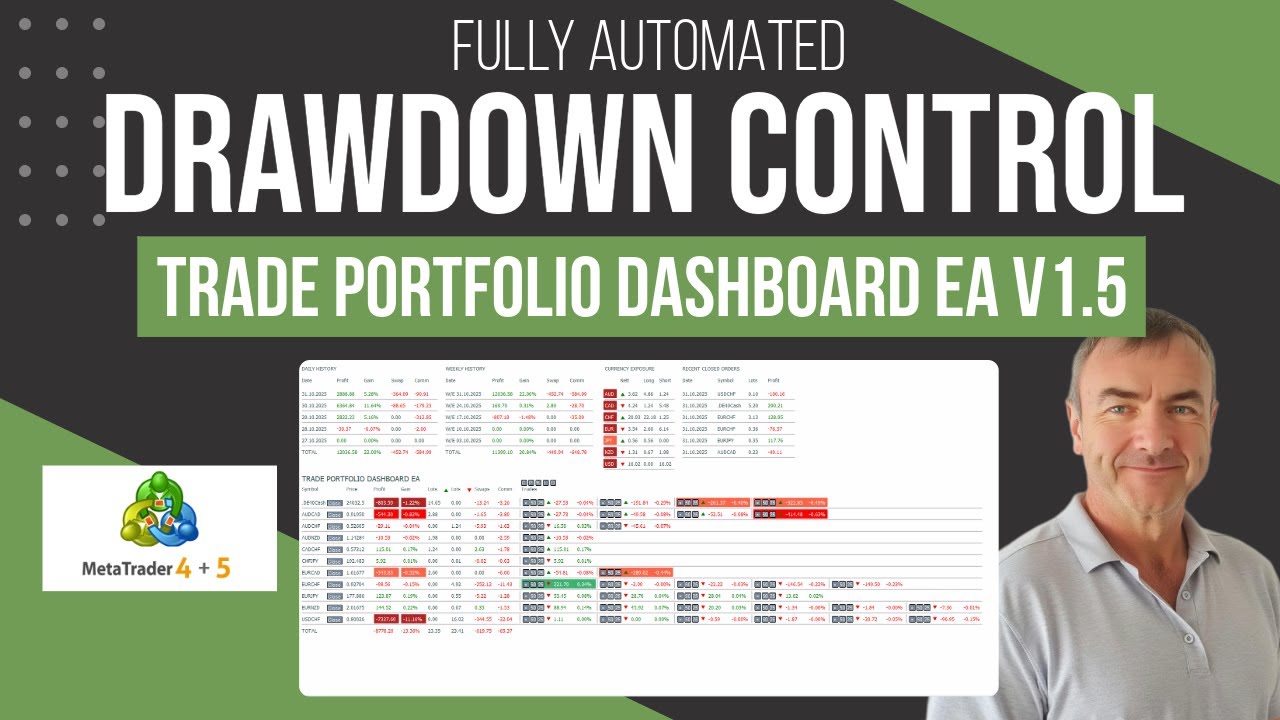
The trade portfolio EA, is a tool for professional traders who know the importance of being able to instantly see their exposure, winning positions, trading costs, and where their problem trades are in their entire portfolio of open positions.
The ability to be able to visualize your recent performance helps you make more informed decisions about what you should do with current open trades in your portfolio. Being able to react fast and close out individual trades or entire symbols is also critical around high impact news events, and the dashboard gives you that functionality right on your chart.
The EA has multiple sections which show you key information about your closed trades day by day, and week by week, so you can see what profit you currently have available to manage your open positions in drawdown if required.
The open trades section gives you all the information you need about the symbols you are currently trading live and a breakdown of each individual trades details on each symbol. You can hide each column in each section, depending on whether you need to see the information, and also show or hide entire sections easily too.
The open trades heatmap gives you a visual representation of the most profitable trades that can be closed out now, as well as the ones in the most drawdown. This information is key as it allows you to spot opportunities to close out full winning trades and take partial losses on trades in drawdown, netting an overall gain on the trades, while also reducing your lot size and overall risk.
The quick trade buttons allow you to instantly close out entire symbols in profit or loss and also individual trades in a position, or just part of the trades if you are just controlling the current drawdown.
You can also highlight individual trades that will improve your overall positioning on a symbol. This allows you to easily see which trades you should prioritise as they will improve your average price, bringing it closer to the current traded price. This also reduces your overall lot size risk, and overall account drawdown.
DOWNLOAD THE EA TO USE IN THE STRATEGY TESTER!
Try the EA out in the tester then get your licence for MT4 or MT5.
BUY THE EA & start trading on your live or demo account today!
Fully functional version to use in live or demo trading!
Have you seen the EA Bundle!
BUY EVERY EA & SAVE 50%
Get the whole collection of expert advisors
on the platform of your choice!
Get the best trade execution with this EA at


LET'S GET SOCIAL!
Join the Telegram or Discord servers
Get EA set files, strategies, free education and advice!
Get The Indicators & Dashboards I use
The indicators are all available direct from your MT4 or MT5 platform in the market section. Alternatively, you can get them on the MQL5.com website!

The Market Reversal Alert Indicator
The key to the strategy is knowing when price is starting to turn and change direction. This indicator draws in market structure for you, then sends you an alert so you can take a look at your charts and see if there is a valid reason to enter a trade.

The Market Reversal Alert Dashboard
This amazing dashboard monitors the major time frames and all pairs you trade and alerts you instantly when a potential reversal happens. No more staring at charts all day! Every pair and key time frame in front of you in one MT4 window. Priceless.

The ADR Reversal Indicator
The ADR Reversal Indicator shows you at a glance where price is currently trading in relation to its normal average daily range. You will get instant alerts via pop-up, email or push when price exceeds its average range and levels above it of your choosing.

The ADR Alert Dashboard
The ADR reversal dashboard allows you to monitor every pair or instrument you trade in one dashboard. You’ll get alerted every time something exceeds your set ADR levels and ensure you will never miss an opportunity.

The Trade Manager Dashboard
Take control of your forex portfolio. See instantly where you stand, what's working and what's causing you pain! The Trade Manager Dashboard is designed to make risk management and exposure to currencies easier to understand.

The RSI and TDI Alert Dashboard
The RSI / TDI alert dashboard allows you to monitor 6 main timeframes (selectable by you) at once on every major pair you trade. The dashboard will alert you to extended conditions (overbought and oversold) when a candle closes on the chosen time frame.

Symmetrical Triangle Pattern Indicator
Profit from market contraction and consolidation after price makes new highs or lows in the market. Get alerted when a contraction is happening, ready to pounce on the next continuation or reversal move that is building up.

Symmetrical Triangle Pattern Dashboard
Get alerted and see instantly when any instrument you trade forms a symmetrical triangle pattern on any time frame. Get ready to pounce on those triangle breakouts!

Opening Range Breakout EA
Profit from the explosive moves that occur at the open of stock indices and give yourself an actionable edge every day. The opening range breakout EA can be tweaked to your liking to capture the trends that form just after the open every day on the main stock indices like the DAX, DOW, NASDAQ and S&P500.

The Market Reversal Alerts EA
Based on the indicator, this EA will auto trade signals generated from the market reversal alerts indicator. It has powerful filters to configure as you like to trade including ADR, MAs and RSI. You can also use it to basket/grid trade, and it has every risk option you can imagine.

The Price Action Toolkit EA
The missing piece of functionality in MT4!
Fast order buttons to quickly enter, adjust and exit positions and scalp with lightning speed. Get price action candlestick alerts on the most commonly traded patterns and auto execute entries and exits based on your preferences.

Support, Resistance & Propulsion Gaps
Automatically draw support and resistance levels PLUS propulsion candle gaps on your chart, so you can see where price is likely to head next and/or potentially reverse. This indicator is designed to be used as part of the position trading methodology taught on this website and displays key information for targeting and potential entries.

Stock Index Hedge EA
Take advantage of the opening volatility of the major stock indexes and profit from the sudden moves created at those times when the market breaks away at the opening bell. The strategies’ goal is to simply benefit from those days when the market moves fast and hard in one direction at the open and bank that move.